Short on time? Here’s the bottom line:
🔥 THE QUICK PICK – Philips Hue
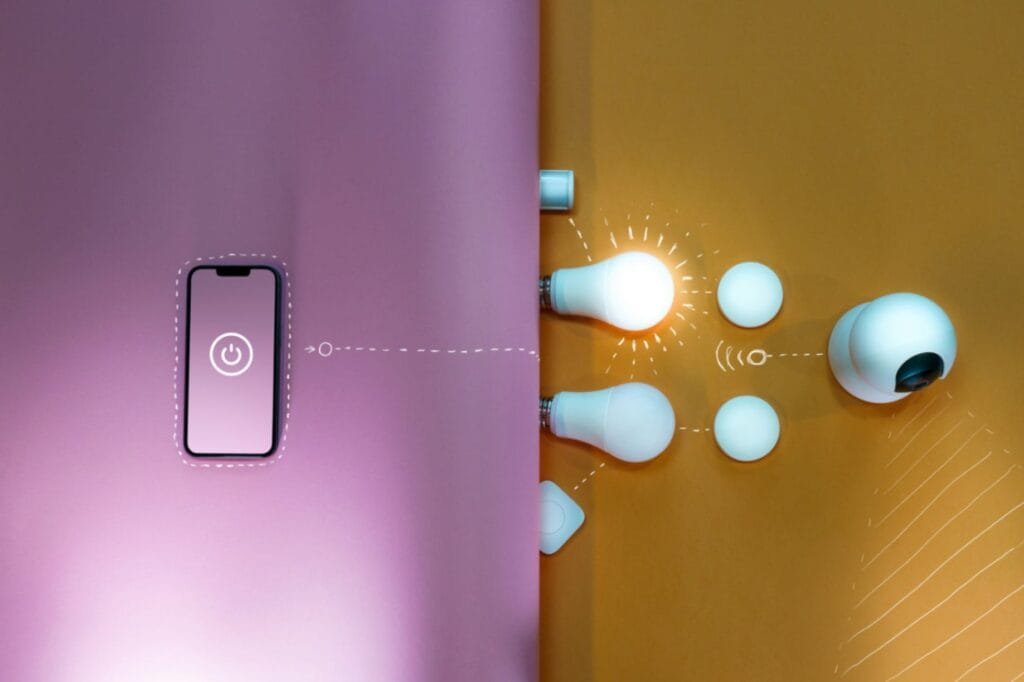
Unlike cheap smart bulbs that clog your Wi-Fi, Hue bulbs connect to a separate “Bridge” hub. This keeps your main internet free and fast for streaming and browsing.
If you search for “Smart Lighting” on Instagram or YouTube, you see fancy glass wall panels, mood lighting built into the ceiling, and futuristic switches.
For a UK renter, this is a trap.
To install a smart light switch in the UK, you usually need a “Neutral Wire” at the switch box. Most UK homes (especially older rentals) do not have this. Trying to install one involves rewiring the wall, a fast track to losing your deposit (or electrocuting yourself).
The solution for renters is simple: Ignore the Switch. Change the Bulb.
You keep your existing “dumb” switches on the wall, unscrew the old filament bulb, and screw in a smart one.
We tested the market leaders to see which ones offer the brightest whites, the richest colours, and the most reliable connection for a rental environment.
Comparison: The Brightness Battle
| Feature | Philips Hue (Colour) | TP-Link Tapo L530E | Govee Wi-Fi Bulb |
| Best For | Reliability & Ecosystem | Budget & Simplicity | Gaming & Vibes |
| Connection | Zigbee (Hub Required) | Wi-Fi (Direct) | Wi-Fi + Bluetooth |
| Brightness | 1100 Lumens (Brightest) | 806 Lumens | 800 Lumens |
| Price | £39 per 4 pack | ~£12.99 for two bulbs | ~£12.99 for two bulbs |
| Renter Rating | ⭐⭐⭐⭐⭐ | ⭐⭐⭐⭐⭐ | ⭐⭐⭐⭐ |
The “Fitting Check”: B22 vs E27
Before you buy anything, look up at your ceiling. UK rentals usually have one of two fittings. You must buy the right shape, or it won’t fit.
1. B22 (Bayonet)
- The Look: A fat base with two little metal pins sticking out the sides. You push and twist.
- Where it lives: 90% of UK ceiling pendants (the main light in the room).
2. E27 (Edison Screw)
- The Look: A large screw thread.
- Where it lives: IKEA lamps, floor lamps, and some modern hallway fixtures.
Note: All the brands listed below sell both versions. Select the right one at checkout!
1. Top Pick: Philips Hue (The “Bulletproof” Choice)
Philips Hue is expensive. There is no getting around it. But for a renter, it is the only system that is practically indestructible.
Why It’s Renter Friendly
- The “Zigbee” Advantage: Hue bulbs don’t connect to your Wi-Fi. They connect to a “Bridge” (Hub) that plugs into your router.
- Why this matters: If you have 10 smart bulbs on standard Wi-Fi, your Netflix might start buffering because the network is clogged. Hue creates its own separate network, keeping your Wi-Fi fast.
- Power Loss Recovery: Cheap bulbs have a nasty habit: if the power cuts at 3 AM and comes back on, they turn on at 100% Brightness. Philips Hue has a “Power On Behaviour” setting where the bulb stays off (or dims) after a power cut, so you don’t wake up blinded.
Pros:
- Instant response speed (no lag).
- Rich, accurate colours (greens and teals look real, not washed out).
- Huge range of accessories (motion sensors, dimmer switches).
Cons:
- Expensive: A starter kit costs £100+.
- Hub Required: You need a spare ethernet port on your router.
2. Budget Pick: TP-Link Tapo L530E
If you can’t justify spending £50 on a lightbulb, Tapo is the answer. For often less than £15, you get a fully featured multi-colour bulb.
Why It’s Renter Friendly
- No Hub Needed: These connect directly to your Wi-Fi router. You buy the bulb, screw it in, and it works. This is perfect if you only want smart lights in one room (like the bedroom) and don’t want to buy a Hub.
- The App: As we saw in our Smart Plug Guide, the Tapo app is fantastic. You can schedule your lights to fade on gently at 7 AM (Simulated Sunrise) to wake you up naturally.
Pros:
- Incredible value for money.
- “Auto-Match” mode mimics natural sunlight patterns.
- No extra hardware needed.
Cons:
Colours aren’t quite as vivid as Hue (but good enough for most).
Wi-Fi Load: If you install 20 of these, it might slow down a cheap ISP router.
3. The “Gamer” Pick: Govee Wi-Fi Bulbs
If you want to light up a gaming room or student digs, Govee is the fun choice.
Why It’s Renter Friendly
Govee specialises in “Vibes.” Their “Music Sync” mode is superior to Tapo’s. The bulb listens to the beat of your music (via your phone mic) and flashes colours in time.
They also offer “Scene Modes” that mimic candlelight, forests, or parties better than the budget competitors.
Pros:
- Best for parties and gaming setups.
- Very cheap multipacks available.
Cons:
The white light spectrum isn’t as good for reading/working as Hue or Tapo.
Installation Guide: The “Switch Cover” Hack
The #1 problem with smart bulbs is Human Error.
If a guest (or flatmate) walks into the room and flicks the wall switch to “Off,” the smart bulb dies. You cannot control it with your phone or Alexa until someone flicks the switch back on.
Here is the Renter-Friendly fix that costs £2.
The Solution: Samotech Light Switch Covers
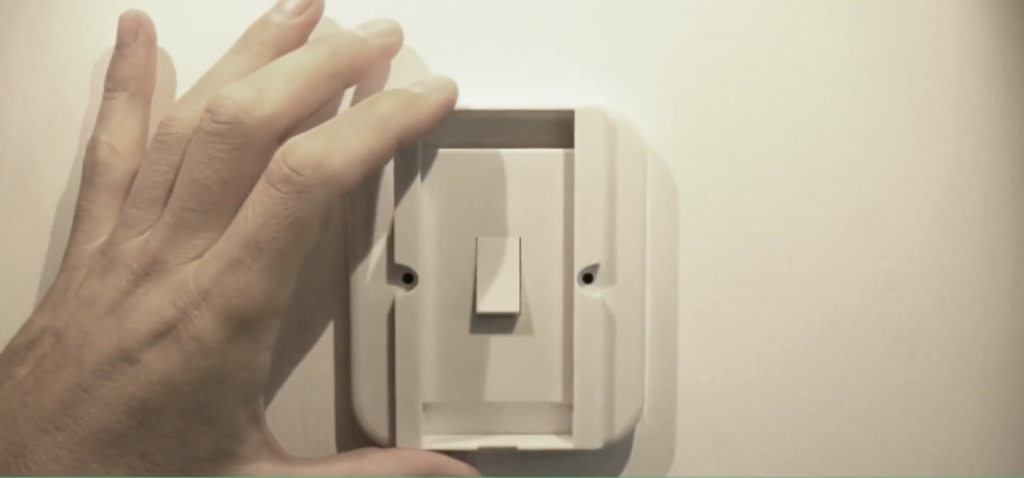
These are clear plastic covers that go over your existing light switch.
Step 1: Buy the Cover
Search for “Samotech SM200” (for single switches) on Amazon.
Step 2: Installation (No Wiring)
- Option A (Magnetic): Some covers just snap over the screws of the existing faceplate magnetically.
- Option B (Screw Loosen): You loosen the two existing screws on the faceplate slightly (do not remove them!), slide the plastic cover underneath, and tighten the screws back up.
Step 3: The Result
The physical switch is locked in the “On” position. You can no longer accidentally turn it off.
Pro Tip: You can now stick a wireless smart button (like a Philips Hue Dimmer or Tapo Smart Button) right on top of the plastic cover using adhesive tape. Now you have a smart switch exactly where the old switch used to be!
Real-World Reality: Community Feedback
We checked r/Hue and AVForums for the long-term annoyances.
1. “The Wi-Fi Limit”
User Report: “I bought 15 Wi-Fi bulbs for my whole flat. Now my router crashes every day.”
💡 The Smart Tenant Fix:
Most “Free from ISP” routers (like the BT Smart Hub) can only handle about 30 devices.
Our Advice: If you plan to do the whole house (10+ bulbs), buy Philips Hue (Zigbee). If you only want to do one room (2-4 bulbs), buy Tapo (Wi-Fi).
2. “The Buzzing Sound”
User Report: “My smart bulb makes a high-pitched buzzing noise when I dim it.”
💡 The Smart Tenant Fix:
This often happens if you put a smart bulb on a circuit that already has a dimmer switch on the wall.
Our Advice: Smart bulbs require a standard “On/Off” switch. If you have a dimmer dial on the wall, you must keep it turned to 100% max power at all times, or the bulb electronics will whine and eventually fail.
Frequently Asked Questions
Do these work with Alexa and Google?
Yes. All three (Hue, Tapo, Govee) work seamlessly with Alexa and Google Home. You can say “Alexa, turn the living room lights to 50%” or “Alexa, turn the lights Blue.”
Can I use these in the bathroom?
Be careful. Standard smart bulbs are rated IP20 (not waterproof). If your bathroom fitting is an enclosed glass dome (IP44), the humidity and heat trapped inside can damage the smart bulb. We recommend sticking to standard LEDs in the bathroom unless you have excellent ventilation.
Will they fit in my lamp?
Most likely. The B22 (Bayonet) and E27 (Screw) cover 95% of UK lamps. However, if you have tiny “candle” bulbs in a chandelier, you need to search for “E14 Smart Bulbs” (Small Screw), which Tapo and Hue both sell.
Verdict: Which Bulb is Brightest?
- Best for Whole-Home: Philips Hue Starter Kit. It’s expensive, but the Hub ensures your Wi-Fi never crashes, and the light quality is beautiful.
- Best for Value: TP-Link Tapo L530E. The perfect entry point. Bright, colourful, and uses the excellent Tapo app.
- Essential Add-On: Don’t forget the Samotech Switch Covers. They stop people turning off your smart lights by mistake.
- Best for Gamers: Govee Wi-Fi Bulb. If you want flashing colours that sync to your music for a party or gaming setup, these are the most fun option.