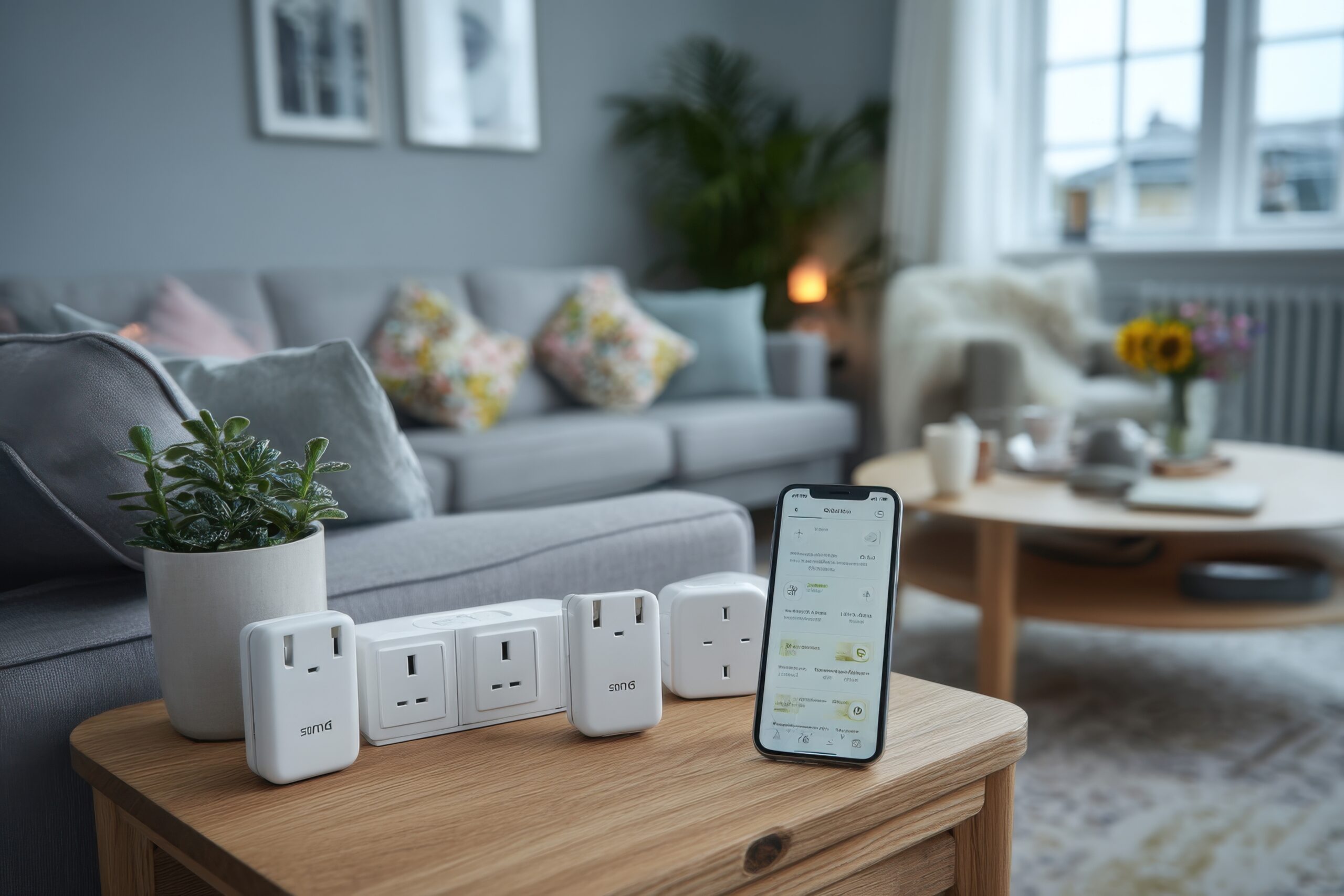
For UK renters, the energy bill is often the scariest piece of mail that arrives each month. You can’t install solar panels, you can’t replace the boiler, and you certainly can’t upgrade the windows.
You feel powerless.
But there is one weapon renters can use to fight back against the Energy Price Cap: The Smart Plug with Energy Monitoring.
These aren’t just remote-controlled switches. They are forensic investigators. They sit between the wall socket and your appliance (heater, PC, tumble dryer) and tell you exactly how much electricity is being used in real-time.
We tested the best UK smart plugs to see which ones have the most accurate sensors, the best apps for tracking costs, and the ability to fit side-by-side in a standard British double socket.
Visual Comparison: The “Vampire Killers”
| Image | 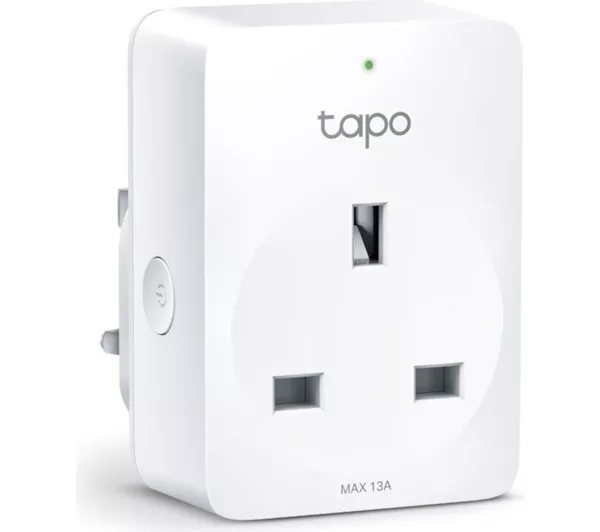 | 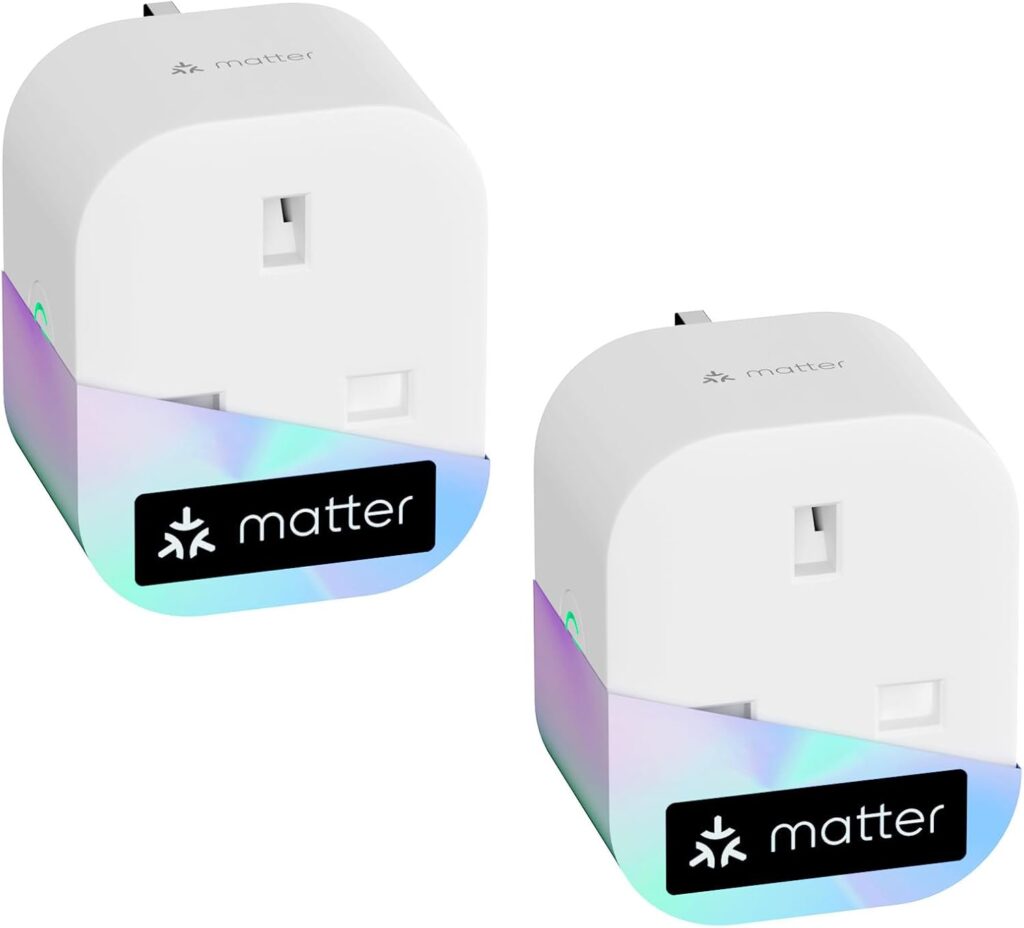 | 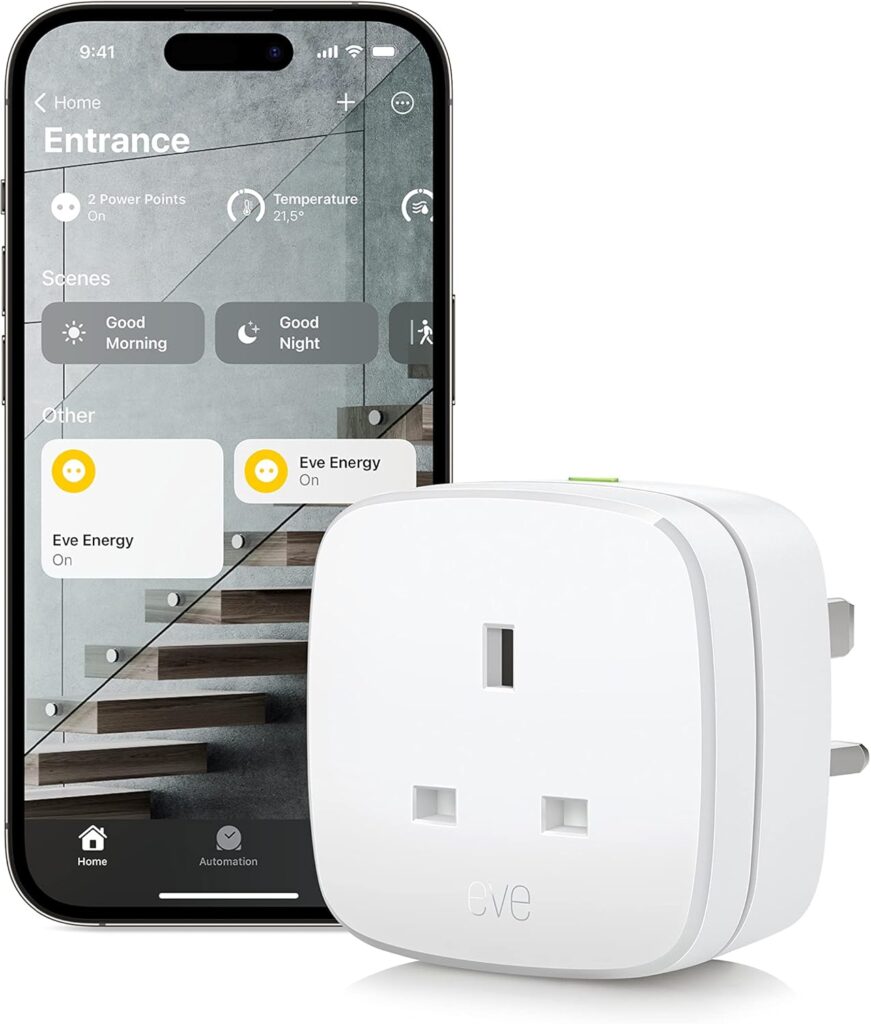 |
| Feature | TP-Link Tapo P110 | Meross Matter (MSS315) | Eve Energy (Matter) |
| Best For | Overall Value | Tight Spaces | Premium / Privacy |
| Max Load | 2990W (13A) | 2990W (13A) | 2990W (13A) |
| Size | Standard | Mini (50mm) | Standard |
| Energy Monitor | ✅ Yes (Detailed) | ✅ Yes (Basic) | ✅ Yes (High Detail) |
| Connectivity | Wi-Fi (No Hub) | Wi-Fi (Matter) | Thread / Matter |
| Renter Rating | ⭐⭐⭐⭐⭐ | ⭐⭐⭐⭐⭐ | ⭐⭐⭐⭐ |
The “Phantom Load” Problem
Before you buy, you need to know what you are looking for.
According to British Gas, up to 23% of electricity usage comes from “Phantom Load” (or Vampire Power)—devices left on standby.
- The Culprits: TVs, Games Consoles, Microwaves, and Phone Chargers.
- The Fix: A smart plug allows you to kill the power completely at the wall automatically at 1 AM, or when you leave the house.
Critical Criteria for UK Plugs
- The “Double Socket” Test: UK double wall sockets are tight. Many smart plugs are too fat; if you plug one in, it blocks the switch for the socket next to it. We only chose plugs that are “slimline.”
- 13 Amp Safety: Renters often use these for electric oil radiators. You must ensure the plug is rated for 13 Amps (2990 Watts). Cheap generic plugs are often only 10 Amps and will melt if you plug a heater into them.
- Real-Time Costing: The app shouldn’t just show “kWh” (kilowatt hours). It should let you enter your tariff (e.g., 27p per unit) and show you the cost in Pounds and Pence.
Top Pick: TP-Link Tapo P110
The Tapo P110 is currently the undisputed king of the UK market. It is cheap (often £10-£12), reliable, and the app is genuinely useful for cost-cutting.
The “Energy Dashboard” (Visual)
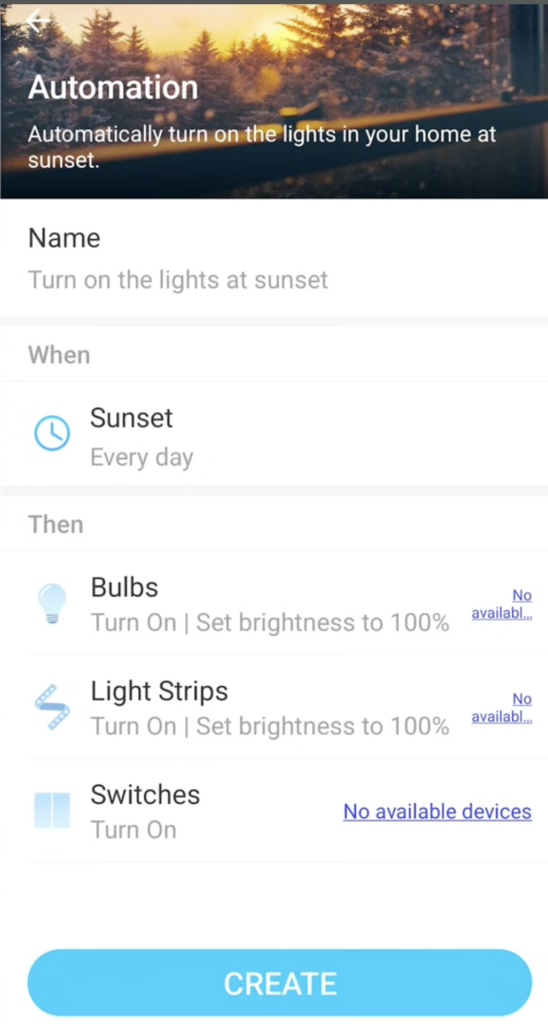
The standout feature is the Energy Dashboard in the Tapo App. Unlike other brands that bury this data, Tapo puts it front and centre.
- Sunset Sync: The app knows your location and can automatically turn your lamps/heaters on exactly when the sun goes down, without you changing timers every month.
- Simple Logic: It uses a clean “When > Then” interface. You don’t need to be a coder; you just tell it “When Sunset > Then Turn On.”
- Device Linking: As seen in the screen, you can group the Smart Plug with other Tapo devices (like bulbs) to control the entire room instantly.
Why It’s Renter Friendly
It uses a “Flame Retardant” casing and a safety shutter design, which is crucial if you are leaving it plugged in behind a sofa in a rental property. It is also compact enough that you can usually fit two of them side-by-side in a double socket.
Pros:
- Best Energy Monitoring interface on the market.
- “Schedule” feature works even if Wi-Fi goes down.
- Very affordable.
Cons:
- Requires a separate “Tapo” account (another password to remember).
- Slightly bulky/boxy design compared to the Meross.
The Space Saver: Meross Matter Plug (MSS315)
If you need a plug that fits in tight spaces like a crowded extension lead or a socket low to the floor, the Meross MSS315 is your saviour. At just 50mm x 50mm, it is significantly smaller than the Tapo P110.
Why It’s Renter Friendly
- The “Apple” Advantage: This plug supports Matter, which means it scans directly into Apple HomeKit (as well as Alexa and Google). You don’t need to fiddle with third-party accounts if you don’t want to.
- Tiny Footprint: It is designed specifically not to block the switch of the socket next to it, even in tight double wall plates. It disappears behind furniture much easier than the blocky Tapo.
Energy Data Note
The Meross app tracks power generation (solar) and consumption. While the graphing isn’t as pretty or detailed as Tapo’s dashboard, it is reliable and accurate enough for tracking “Phantom Loads.”
Pros:
- Tiny Footprint: Fits side-by-side in almost any double socket.
- Works with Everything: Apple, Alexa, Google, SmartThings (via Matter).
- Fast Response: Connects via Wi-Fi for instant switching.
Cons:
- Slightly longer shape (sticks out from the wall more).
- App graph is less detailed than Tapo.
The Premium Pick: Eve Energy (Matter)
If you are an Apple user who cares about privacy and data, Eve is the gold standard. It costs significantly more (nearly £40 per plug), but the build quality is unmatched.
Why It’s Renter Friendly
- Privacy First: Eve does not use a cloud. Your data stays on your iPhone/iPad. There is no account registration and no tracking.
- Thread Technology: Unlike the others which use Wi-Fi, this uses “Thread.” It creates a mesh network that doesn’t slow down your home Wi-Fi.
- Cost Projection: The Eve app allows you to enter your electricity rate (pence per kWh) and projects your annual cost based on current usage with high accuracy.
Pros:
- German Engineering: Bulletproof build quality.
- Privacy: No cloud, no registration.
- Future Proof: Uses the latest Thread/Matter tech.
Cons:
- Expensive: You can buy three Tapo plugs for the price of one Eve.
- Requires Hub: Best used with an Apple HomePod or Amazon Echo to get the full Thread benefits.
Installation Guide: Setting Up “Vampire Killers”
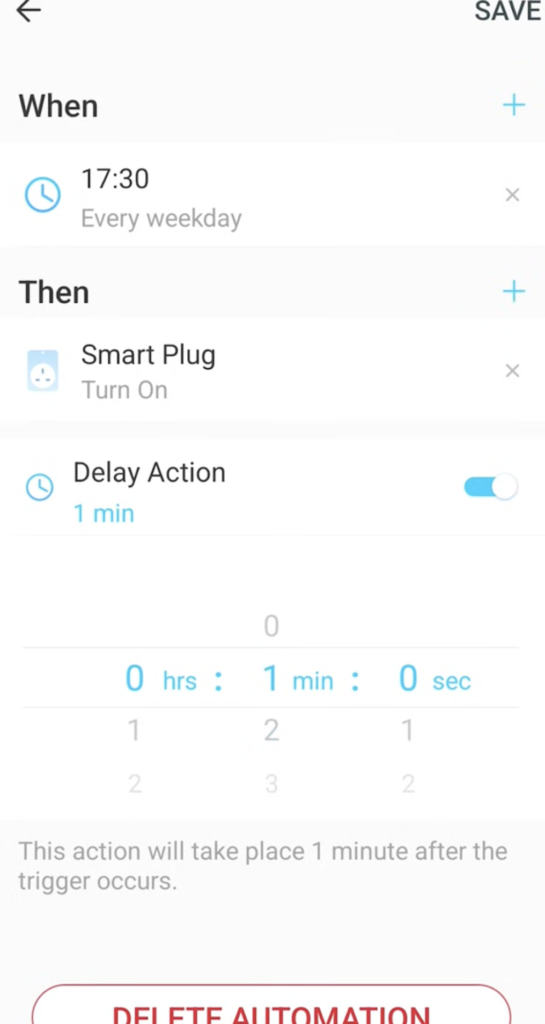
Buying the plug is only Step 1. To save money, you need to ensure your high-power devices (like heaters or gaming PCs) are only running when you actually need them.
Here is how to set up a “Work Week” automation using the Tapo App, as shown in the screenshot above.
Step 1: Create a New Automation
Open the Tapo app and tap the “Smart” tab (Automation). Tap the + icon to start a new rule.
Step 2: Set the “When” (The Trigger)
In our example, we selected “17:30 (Every weekday)”.
- Why: This ensures your electric heater or console remains completely dead (using £0 electricity) while you are at work. It only wakes up at 5:30 PM when you walk in the door.
Step 3: Set the “Then” (The Action)
Select your Smart Plug and choose “Turn On”.
- Pro Tip: You will see a “Delay Action” toggle in the screenshot. You can use this to create a safety buffer and for example, telling a heater to turn on, wait 30 minutes, and then automatically turn off. This prevents you from accidentally leaving expensive appliances running all night.
💡 Real World Example:
If you use a Heated Clothes Airer, you can use this automation to automatically turn it off after 4 hours. This prevents you from wasting electricity heating clothes that are already dry.
Real-World Reality: What the Community Says
We checked the UK Smart Home forums to see how these hold up after a year of use.
“The Clicking Sound”
User Report: “I put one in my bedroom and every time it turns on/off it makes a loud click.”
💡 The Smart Tenant Fix:
This is normal. Inside the plug is a physical relay switch. It must click to cut the power safely.
Our Advice: Do not put a smart plug directly next to your pillow if you plan to have it switch on/off while you are sleeping. Put it behind the dresser.
“Wi-Fi Dropouts on mesh networks”
“My plugs keep going ‘No Response’ every few days.”
💡 The Smart Tenant Fix:
Smart plugs operate on the 2.4GHz Wi-Fi band. If you have a modern router that merges 5GHz and 2.4GHz, cheap plugs sometimes get confused.
Our Advice: If this happens, enable the “Guest Network” on your router (which is usually 2.4GHz only) and connect your smart plugs to that. It solves the connection issues instantly.
Verdict: Which Plug Pays for Itself Fastest?
- Best Overall: TP-Link Tapo P110. The app is the best in the business for visualizing costs. It’s cheap, safe (13A rated), and reliable.
- Best for Tight Spaces: Meross MSS315. A tiny plug that fits anywhere and works with every smart home system (Apple, Google, Alexa) via Matter.
- Best Premium Pick: Eve Energy. If you want total data privacy and high-end build quality, this is the one to buy.
Frequently Asked Questions
Can I plug an extension lead into a smart plug?
Technically yes, BUT you must be careful. The total load of everything on that extension lead must not exceed 2990 Watts (13 Amps). If you plug a heater, a kettle, and a toaster into one smart plug, you will melt it. Use it for “Media Centres” (TV/Xbox/Router), not kitchen appliances.
Do these plugs work if the internet goes down?
Yes. The “Schedules” (timers) are stored on the device itself. If your Wi-Fi cuts out at 3 AM, the plug will still turn off your heater at the scheduled time. However, you won’t be able to control it from your phone until the internet returns.
Will this save me money?
Yes, if used correctly. A smart plug consumes about 1W of power to stay connected to Wi-Fi. If you use it to turn off a device that wastes 50W on standby (like an old TV or PC), you are saving significant energy. If you use it on a modern LED lamp that uses 0W when off, the smart plug will actually cost you more. Use them on “High Drain” devices only.
Can I monitor solar export with these?
No. These are “unidirectional.” They measure energy going out of the wall into the appliance. They cannot measure energy going back into the grid.