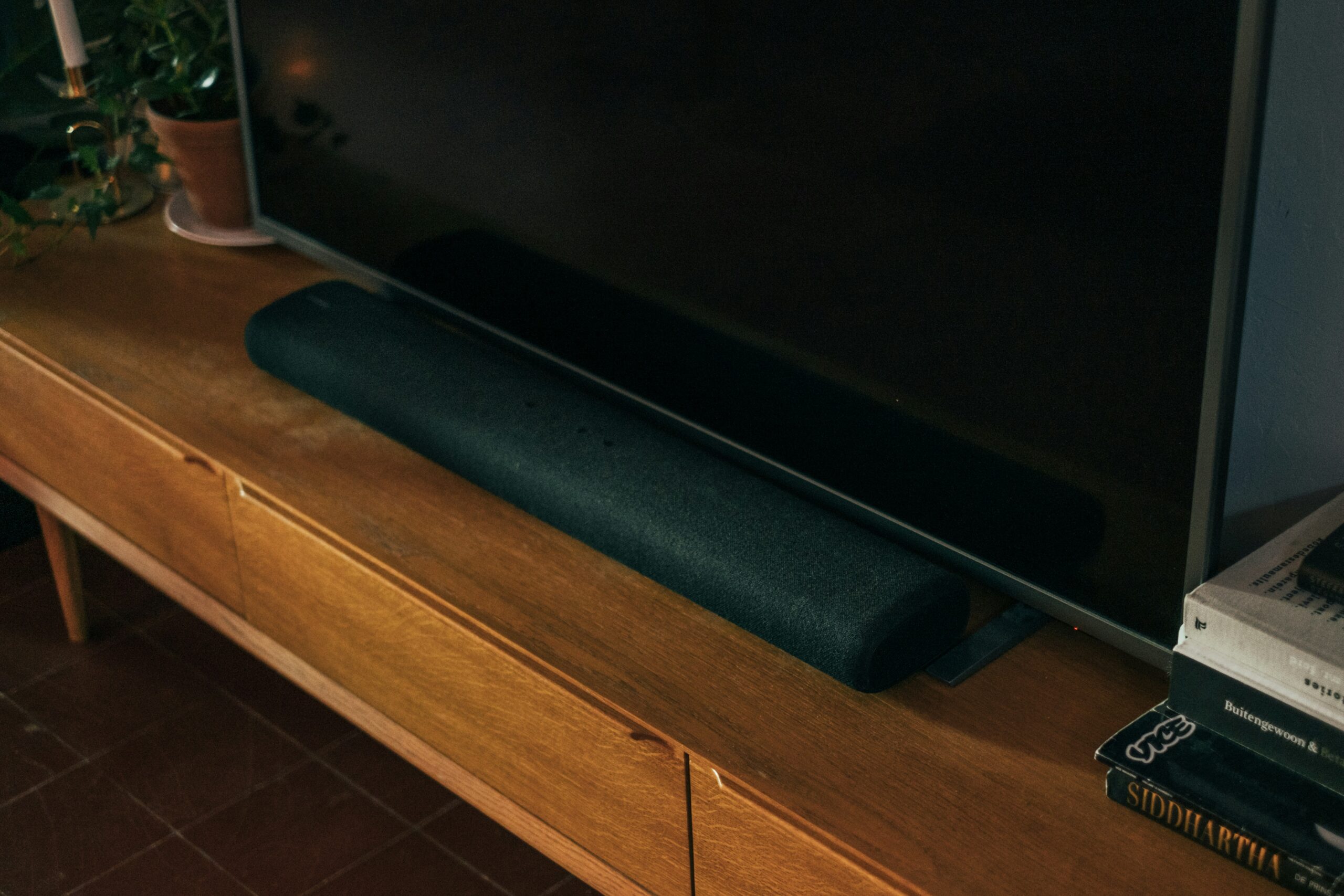
Modern 4K TVs are a miracle of engineering. They are razor-thin and picture perfect.
But there is a physics problem: Thin TVs have thin speakers.
That is why dialogue sounds mumbled, explosions sound tinny, and you have to constantly ride the volume button up and down just to hear what characters are saying.
For homeowners, the solution is a “5.1 Surround Sound System.” They drill speakers into the corners of the room, chase wires under the carpet, and put a massive subwoofer box next to the sofa.
For renters, that is impossible. You have no space for a subwoofer, and you certainly can’t drill into the walls.
The solution? The Compact “All-in-One” Soundbar.
These are single bars that contain the tweeters, mid-range drivers, and a built-in subwoofer inside one sleek unit. They sit in front of your TV (or connect to your projector), require one cable, and instantly upgrade your movie night.
We tested the best-selling compact bars on Amazon to see which ones make dialogue crisp, which ones have enough bass to rattle a teacup, and which ones fit on a narrow rental TV stand.
Visual Comparison: The Audio Upgrades
| Spec | Sony HT-SF150 (2ch) | Majority Bowfell Compact | Bose TV Speaker |
| Best For | Overall Living Room | Projectors / Desks | Dialogue Clarity |
| Channels | 2.0 (Bass Reflex) | 2.1 (Built-in Sub) | 2.0 (Premium) |
| Size (Length) | 90cm (Standard TV) | 38cm (Tiny) | 59cm (Compact) |
| Connection | HDMI ARC / Optical | Optical / RCA / BT | HDMI ARC / Optical |
| Bass Module? | Built-in | Built-in | Built-in |
| Renter Rating | ⭐⭐⭐⭐⭐ | ⭐⭐⭐⭐⭐ | ⭐⭐⭐⭐ |
The “Subwoofer Box” Rule
Before you buy, check the product pictures carefully.
Many “Budget Soundbars” come with a separate black box (the Subwoofer) that sits on the floor.
- The Renter Risk: In a small flat, finding floor space for a black box is annoying. It gathers dust and annoys the downstairs neighbours with vibrations.
- Our Choice: All the soundbars below are “All-in-One.” The bass drivers are built inside the bar itself. Less clutter, happier neighbours.
1. Top Pick: Sony HT-SF150
Sony is the safe, reliable choice. The HT-SF150 is the gold standard for an “entry-level” upgrade. It looks like it belongs in front of a 50-inch TV.
Why It’s Renter Friendly
- Bass Reflex: Instead of a separate box, it uses a “Bass Reflex” tube inside the unit to punch up the low notes. It won’t shake the floorboards (good for neighbours), but it gives explosions weight.
- HDMI ARC: This is critical. It connects to your TV via one HDMI cable.
- The Benefit: You can use your normal TV remote to control the volume. You don’t need to juggle two remotes.
Pros:
- Looks premium (Piano black finish).
- “S-Force Front Surround” simulates cinema sound well.
- Reliable HDMI connection (turns on/off with the TV).
Cons:
- It is quite long (90cm). Measure your TV stand first!
- No display screen (just LED lights to show mode).
2. The Portable Pick: Majority Bowfell
Majority is a Cambridge-based UK brand that has taken Amazon by storm. The Bowfell is tiny and about the size of a long ruler.
Why It’s Renter Friendly
- Portability: It weighs just 1.5kg. This is the perfect companion for your Portable Projector setup. https://thesmarttenant.co.uk/best-portable-projectors-for-uk-renters-cinema-screen-no-wall-mounts-2026-guide/. You can unplug it from the TV, throw it in a bag, and take it to the bedroom for a movie night.
- The Price: At roughly £35-£40, it is an impulse buy. It’s perfect for a second TV in the bedroom or boosting the sound of a laptop for gaming.
Pros:
- Unbeatable value.
- Fits on the smallest desks or shelves.
- Includes RCA cables (Red/White) for older devices.
Cons:
- No HDMI ARC (You must use the included remote to change volume).
- Sound is “big for the size,” but won’t fill a huge room.
3. The Premium Pick: Bose TV Speaker
If your main complaint is “I can’t hear what they are saying,” get the Bose.
It is engineered specifically to boost human speech frequencies.
Why It’s Renter Friendly
- Dialogue Mode: There is a specific button on the remote that strips away background noise and boosts vocals. If you watch dramas or news late at night and don’t want to turn the volume up loud (waking flatmates), this mode is a lifesaver.
- Compact Size: At 59cm wide, it fits easily between the legs of most TV stands, unlike the longer Sony.
Pros:
- Crystal clear dialogue (Best in class).
- Premium build quality.
- Auto-Wake (Turns on automatically when it hears sound from the TV).
Cons:
- Expensive: Costs nearly £200.
- HDMI cable often not included in the box (check listing).
Installation Scenarios: The “Renter Reality” Guide
Buying the bar is easy. Setting it up so it actually works is the hard part. Here are the two most common scenarios for UK renters.
Scenario A: The “One Remote” Living Room Setup
Goal: You want to sit on the sofa and use only your TV remote to control volume and power.
Required: A TV with an “ARC” port + Sony HT-SF150 or Bose.
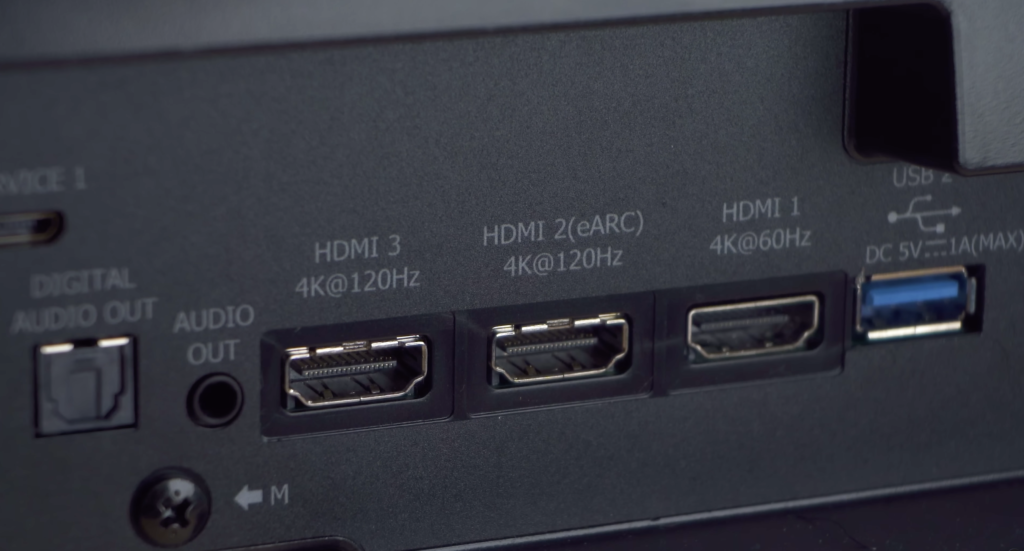
- The Connection: Plug an HDMI cable from the Soundbar into that specific ARC port.
- The Settings: Go to your TV Menu -> Sound -> Audio Output. Change it from “TV Speakers” to “Audio System” (or HDMI).
- The Result: Now, when you press “Volume Up” on your TV remote, it sends a signal down the HDMI cable to the soundbar. You can put the soundbar remote in a drawer; you won’t need it.
Scenario B: The “Projector Movie Night” Setup
Goal: You have a Nebula Capsule or Samsung Freestyle and want better sound than the tiny built-in speaker.
Required: Majority Bowfell + Aux Cable (or Bluetooth).
- The Problem: Most portable projectors do not have HDMI ARC. They usually have a headphone jack (3.5mm Aux) or Bluetooth.
- Wired (Best Quality): Use the 3.5mm Aux cable included with the Majority Bowfell. Plug it into the “Headphone” port on the projector. Zero lip-sync delay.
- Wireless (Cleanest): Put the Soundbar in “Bluetooth Mode” (Blue light flashing). Go to Projector Settings -> Remotes & Accessories -> Pair New Device. Select “Majority Bowfell.”
- Warning: Bluetooth can sometimes have a 0.5-second delay. If the lips don’t match the words, go into the Projector Settings and look for “Audio Sync” or “Audio Delay” to fix it.
Real-World Reality: Community Feedback
We checked the AVForums to see what drives people crazy.
1. “The Lip Sync Lag”
User Report: “I connected via Bluetooth and the explosion sound happens 1 second after the explosion on screen.”
💡 The Smart Tenant Fix:
Bluetooth is convenient but laggy.
Our Advice: Always use a cable (HDMI or Optical) for your main TV. Only use Bluetooth for music (Spotify) from your phone. If you must use Bluetooth for TV, look for a “Lip Sync” slider in your TV’s sound menu to adjust the timing.
2. “The IR Block”
User Report: “The soundbar is tall. It sits in front of my TV and blocks the remote sensor, so I can’t change the channel.”
💡 The Smart Tenant Fix:
This happens with low-profile TVs (like Samsung/LG).
Our Advice: If the bar blocks the sensor, you can buy a “TV Riser” (a small wooden shelf) for £15 to lift your TV up by 10cm. Or, simply mount the soundbar behind the TV legs if sound can still travel through.
Frequently Asked Questions
Can I put the soundbar behind the TV?
You can, but it will sound muffled. Sound travels in straight lines (mostly). If you block the speakers with the TV screen, you lose the crispness of the dialogue. Ideally, place it in front of the TV or on the shelf immediately below it.
What is the difference between HDMI ARC and Optical?
Both carry high-quality digital sound. The difference is Control.
HDMI ARC: Allows your TV remote to control the soundbar volume and power. (Best option).
Optical (Toslink): Sends sound only. You will need to use the separate soundbar remote to change volume. Use this only if your TV is old and doesn’t have an ARC port.
Can I wall mount these without drilling?
It is risky. Most soundbars have “Keyhole” slots on the back for screws. You can technically use heavy-duty industrial Velcro or outdoor Command Strips to stick them to the wall, but soundbars vibrate. That vibration can loosen adhesive over time. We strongly recommend just sitting it on the TV unit to be safe.
Can I add a subwoofer later?
Generally, no. These are “Standalone” bars. They do not have a port to plug in a separate subwoofer box later. If you think you might want massive bass in the future, you should look at a modular system (like Sonos), but that costs 4x the price.
Verdict: Which Bar for Your Flat?
- Best for Living Rooms: Sony HT-SF150. The HDMI ARC connection makes it seamless. It turns on and off with your TV. It’s the “spouse-friendly” choice.
- Best for Bedrooms/Projectors: Majority Bowfell. Tiny, cheap, and plugs into anything. The ultimate portable audio upgrade.
- Best for Dialogue: Bose TV Speaker. If you struggle to hear voices over background music, this is worth the investment.