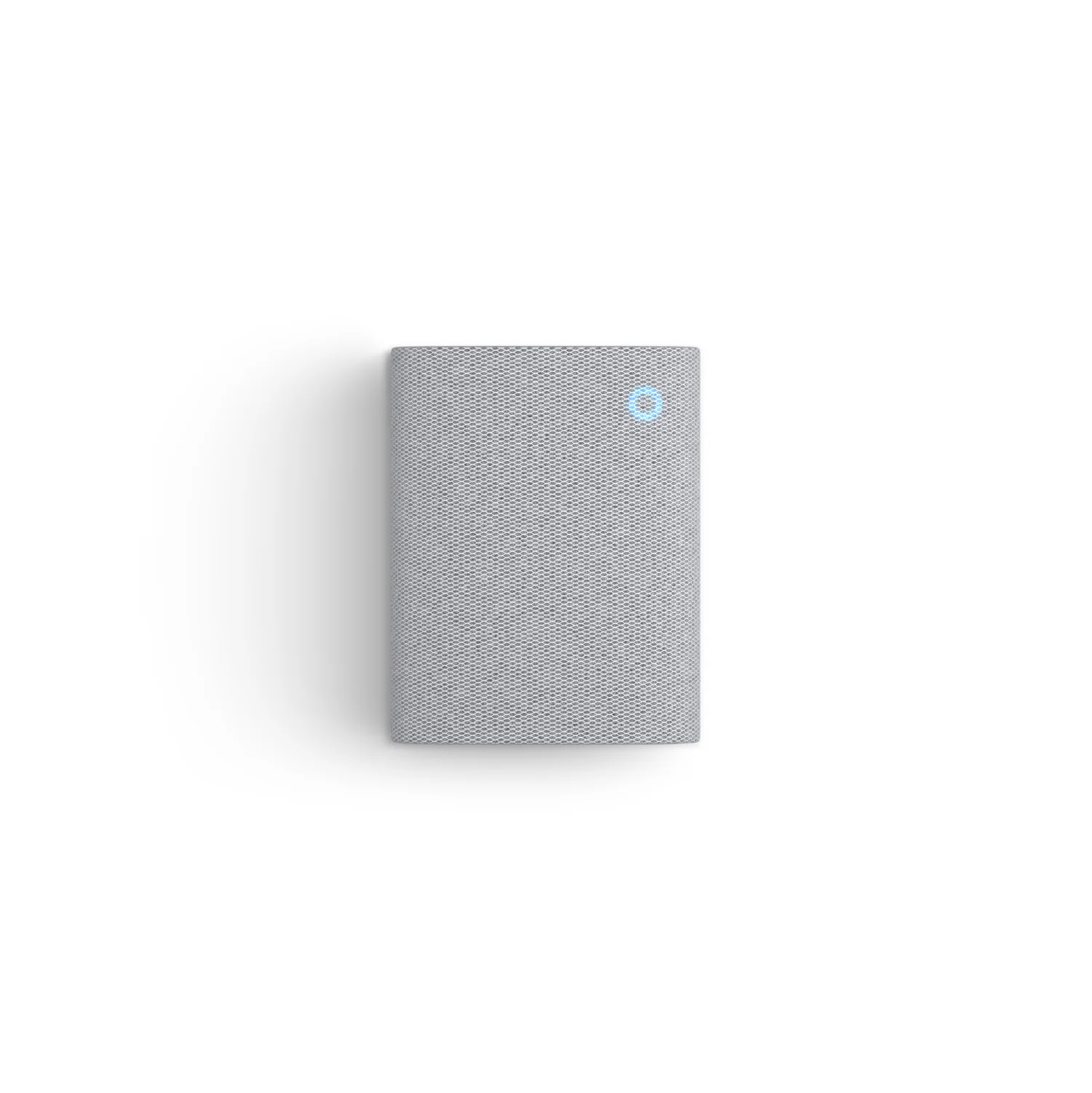
You bought a Smart Doorbell to make your rental flat more secure. You stuck it to the front door, connected it to the Wi-Fi, and it works perfectly… on your phone.
But there is a massive hidden flaw.
When you are working from home with your phone on “Do Not Disturb,” or it’s charging in the other room, you don’t hear the notification. You miss the Amazon delivery driver. You miss your Deliveroo.
You need a physical sound inside the flat. You need a Plug-In Chime.
Unlike traditional wired doorbells that require electricians and drilling into the plaster, these smart chimes simply plug into any standard UK 3-pin wall socket. They sync wirelessly to your doorbell in minutes.
We tested the best options to see which ones are loud enough to hear over the TV, which ones fix “dead zone” Wi-Fi issues, and the secret “Smart Speaker Hack” that works for both Ring and Blink doorbells.
Visual Comparison: The Delivery Savers
| Spec | Ring Chime (2nd Gen) |
Ring Chime Pro (2nd Gen) |
Amazon Echo Pop |
|---|---|---|---|
| Best For | Standard Ring Users | Wi-Fi Dead Zones | The “Renter Hack” |
| Compatibility | Ring Doorbells ONLY | Ring Doorbells ONLY | Ring AND Blink |
| Key Feature | 30+ Chime Tones | Built-in Wi-Fi Extender | Plays Music / Voice Assistant |
| Nightlight? | ✗ No | ✓ Yes | ✗ No |
| Renter Rating | ★★★★ | ★★★★★ | ★★★★★ |
1. Top Pick: Ring Chime (Newest Gen)
If you own a Ring Doorbell, this is the official, standard companion. It plugs into a wall socket and does exactly what it says on the tin.
Why It’s Renter Friendly
- Plug and Play: Zero wiring. You plug it in, open the Ring App, and tap “Set up a device.” It finds your doorbell automatically.
- Volume Control: Rental flats can have thin walls. You don’t want to terrify your neighbours every time someone presses your doorbell. You can easily adjust the volume on a slider in the app, or turn on “Do Not Disturb” at night.
Pros:
- Sleek, fabric-covered design blends into modern flats.
- Over 30 different tones (including seasonal ones like Halloween/Christmas).
- Very reliable connection.
Cons:
- Only works with Ring products.
- It only acts as a doorbell (no other smart home functions).
2. The Problem Solver: Ring Chime Pro
If you followed our advice in the Ultimate £450 Setup, you know that thick, fire-rated flat doors are terrible for blocking Wi-Fi signals. If your Ring doorbell keeps dropping offline, you need the Chime Pro.
Why It’s Renter Friendly
- Built-in Wi-Fi Extender: This isn’t just a speaker. It acts as a dedicated Wi-Fi booster specifically for your Ring devices. Plug this into a socket in the hallway (halfway between your router and the front door), and it bounces the signal through the thick wood.
- Nightlight: It features a soft, automatic LED glow at the bottom. It is perfect for lighting up dark, windowless rental hallways at 2 AM without needing to find a light switch.
Pros:
- Fixes video lag and connection dropouts.
- Dual-band connectivity (2.4GHz & 5GHz).
- Great built-in nightlight.
Cons:
- More expensive (~£49).
3. The “Renter Hack” Pick: Amazon Echo Pop
Why pay £30 for a plastic box that only makes a “Ding-Dong” sound when you can pay the exact same price (during frequent Amazon sales) for a fully functioning smart speaker?
Why It’s Renter Friendly
- The Universal Bridge: Because Amazon owns both Ring and Blink, the Alexa app can talk to both. If you bought the budget Blink Video Doorbell, this is your best way to get an indoor chime.
- Multi-Tasking: When nobody is at the door, this sits on your kitchen counter playing Spotify, setting cooking timers, and controlling your Smart Plugs. It adds massive value to a small flat.
Pros:
- Incredible value for money.
- Voice announcements (“Someone is at the Front Door”).
- Acts as a complete Smart Home hub.
Cons:
- You must link your Doorbell account to the Alexa App (takes an extra 2 minutes).
- Requires a bit of shelf space (unlike the flat wall-plug chimes).
Annotated Manual: The “Alexa Chime” Setup
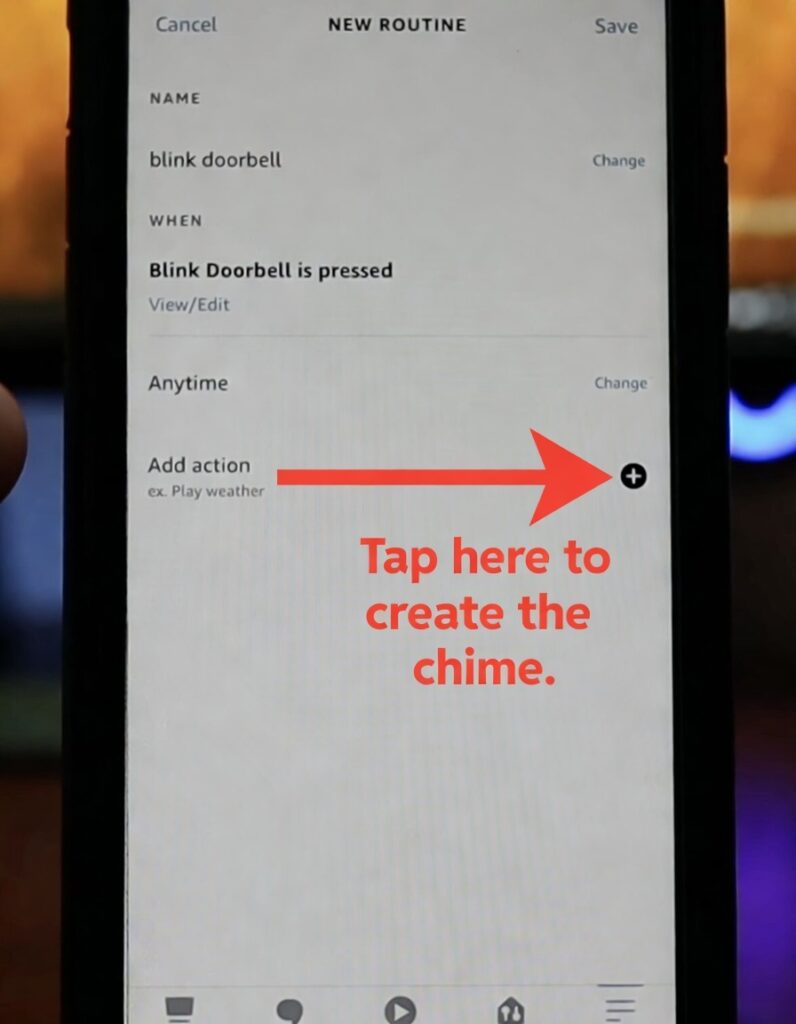
If you buy the Echo Pop (or use an Echo Dot you already own), it will not ring automatically out of the box especially if you have a Blink doorbell. You have to create a custom “Routine” in the Alexa app. Here is how to do it, as shown in the screenshot above.
Step 1: Set the Trigger (When)
Open the Alexa App -> More -> Routines -> + (Plus).
Tap “When this happens”, select “Smart Home”, and choose your doorbell. Set the trigger to: Blink Doorbell is pressed (just like the image shows).
Step 2: Set the Action (The missing step)
As you can see in the screenshot, the “Add action” section is empty. If you save it now, nothing will happen.
Tap that + (Plus) icon to tell Alexa what to do when the button is pushed.
Step 3: The Custom Chime
From the Action menu, select “Messaging” -> “Send Announcement”.
- The Fun Part: Type in exactly what you want Alexa to say. You can make it say “Delivery at the front door!” or “Your pizza is here!”
- Select your new Echo Pop as the device to play the announcement.
Result: When someone presses your doorbell, your Echo Pop will chime and read your custom message aloud. You just turned a £30 speaker into the ultimate smart chime.
Real-World Reality: Community Feedback
We checked the Ring community forums to find the most common frustrations.
MAINTENANCE
1. “The Midnight Heart Attack”
USER REPORT
“A fox walked past my door at 3 AM. The motion sensor triggered, and the Chime woke the whole flat up”.
💡
The Smart Tenant Fix
By default, the Chime alerts you for button presses AND motion.
Our Advice
Open the Ring App -> Chime -> Audio Settings. Turn OFF “Motion Alerts.” Leave “Doorbell Rings” ON. You only want the physical chime to sound when a human actually presses the button, otherwise, traffic and animals will drive you insane.
MAINTENANCE
2. “It won’t connect to my new Wi-Fi”
USER REPORT
“I changed my broadband provider to Virgin, and now the Chime is a brick”.
💡
The Smart Tenant Fix
Ring devices cling to old network settings.
Our Advice
You cannot just update the password in the app. You must physically hold the small reset button on the side of the Chime for 5 seconds until the light flashes green. This puts it back into “Setup Mode” so it can find your new router.
Frequently Asked Questions
Can I have more than one chime in a flat?
Yes. You can buy 3 chimes and put one in the lounge, one in the bedroom, and one in the kitchen. They will all sync to the same front doorbell and ring simultaneously.
Does it use batteries?
No. The Ring Chime and Chime Pro plug directly into a standard UK 3-pin mains socket. They do not have backup batteries. If you have a power cut, they will not ring.
Can I change the sound it makes?
Yes. In the Ring app, there are dozens of sounds. You can change it from a traditional “Westminster Chimes” to dogs barking, or festive sounds during Christmas.
Verdict: Which One Should You Plug In?
- Best for Simplicity: Ring Chime (Newest Gen). If you have a Ring doorbell and just want a box that goes “Ding Dong” from a wall socket, this is perfect.
- Best for Thick Walls: Ring Chime Pro. If your front door is blocking the Wi-Fi and causing your video to lag, spend the extra £20 to fix the signal and get a nightlight.
- Best Value (The Hack): Amazon Echo Pop. If it’s on sale for £20-£30, do not buy a basic chime. Buy this instead. It works with Blink and Ring, and plays music.