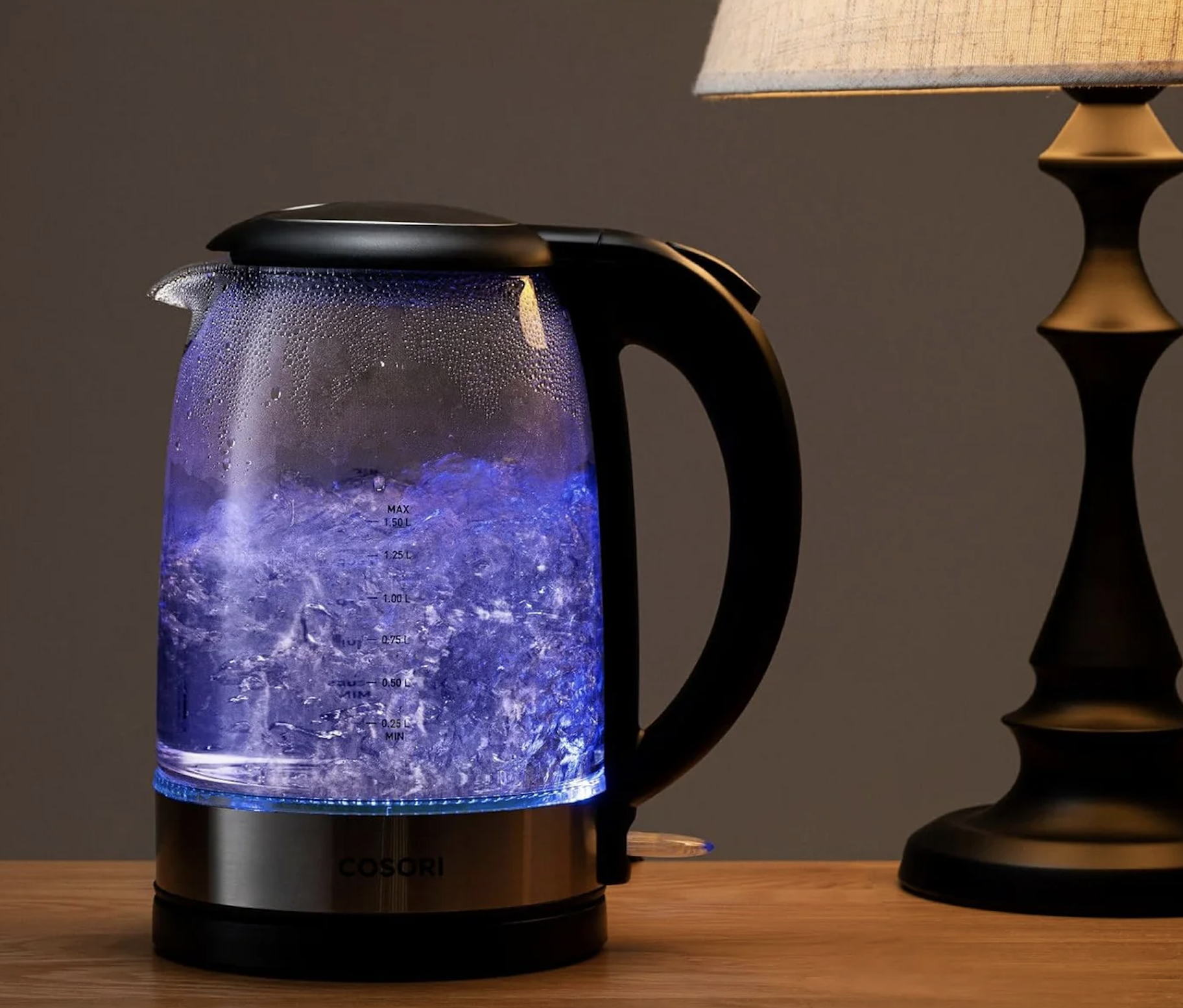
We Brits drink 100 million cups of tea a day. But the worst part of the ritual is the 3 minutes spent standing in a cold kitchen at 7 AM, shivering while you wait for the kettle to boil.
For homeowners, the dream is a “Quooker” boiling water tap. But those cost £1,200, require drilling into the worktop, and plumbing into the mains. That is not happening in a rental property.
The Renter-Friendly solution? A Smart Wi-Fi Kettle.
These look like standard kettles, but they contain a Wi-Fi chip that connects to your phone or Alexa. You can tap a button from under your duvet, and by the time you walk to the kitchen, the water is boiled and waiting.
We tested the best options on Amazon to see which ones actually stay connected to Wi-Fi, which ones keep water hot without re-boiling, and which ones are best for precision coffee brewing.
Visual Comparison: The “Morning Routine” Heroes
| Spec | Swan Alexa Kettle (Gen 2) | Cosori Variable Temp (Glass) | Aigostar Smart Kettle |
| Best For | True Voice Control | Coffee / Precision | Budget / Visuals |
| Capacity | 1.5 Litres (6 Cups) | 1.7 Litres (7 Cups) | 1.7 Litres (7 Cups) |
| Material | Stainless Steel / Plastic | Borosilicate Glass | Glass / Plastic |
| Connectivity | Wi-Fi (Native) | None (Manual Switch) | Wi-Fi (AigoSmart App) |
| Temp Range | 4 Presets | 40°C – 100°C (Slider) | 40°C – 100°C |
| Renter Rating | ⭐⭐⭐⭐⭐ | ⭐⭐⭐⭐⭐ | ⭐⭐⭐⭐ |
The “Keep Warm” Secret
Before you buy, you need to understand the most important feature: “Keep Warm.”
A normal kettle boils and cools down immediately. A Smart Kettle acts like a thermos flask (but powered).
- Why it matters: If you boil the kettle from bed but then spend 15 minutes scrolling TikTok or answering an email, your water will still be at 90°C when you finally get up.
- The Safety Check: Look for “Boil Dry Protection.” If you accidentally turn the kettle on from the pub but you forgot to fill it with water, the kettle must sense the heat rise and cut the power instantly to prevent a fire. All the picks below have this safety standard.
1. Top Pick: Swan Alexa Kettle (Gen 2)
If you live in an Amazon Echo household, the Swan Alexa Kettle is the native choice. It doesn’t just “work with” Alexa; it feels like it is an Alexa device.
Why It’s Renter Friendly
- Voice Command: You don’t need to open an app. You can literally shout from the living room: “Alexa, boil the kettle.”
- The Routine: You can add it to your “Good Morning” routine. When you dismiss your alarm, Alexa can turn on the lights, read the news, and start boiling the kettle automatically.
Pros:
- Looks like a traditional “normal” kettle (Black, minimalist).
- “Cool Touch” exterior protects hands from burns.
- Rapid boil technology.
Cons:
The “Gen 1” version had connection issues (Ensure you buy Gen 2).
Capacity is slightly smaller (1.5L) than the Cosori.
2. The Precision Pick: Cosori Variable Temp (Glass)
Important Note: This specific model is not Wi-Fi enabled.
However, it is the highest-rated Precision kettle on the market. We included it because many renters prefer Glass purity and Coffee accuracy over voice control.
Why It’s Renter Friendly
- Glass Body: Unlike plastic kettles which can taste “chemical” for the first month, the Cosori is made of borosilicate glass. It tastes clean from day one.
- The “Hold Temp” Mode: Once boiled, you can tell the Cosori to hold that temperature for up to 60 minutes. You boil the kettle for a pot of tea, pour one cup, and put the pot back. 40 minutes later, you want a second cup. The water is still at 80°C. No need to re-boil (saving electricity).
💡 The “Smart Plug” Hack
Because this Cosori kettle uses a physical “Click” switch (not a digital soft-touch button), you can make it smart!
- Fill it with water the night before.
- Click the switch down to “On.”
- Plug it into a Tapo P110 Smart Plug.
- Result: When you wake up, turn the Plug on via your phone. The kettle receives power and starts boiling immediately.
Pros:
- Fast boiling (3000W element).
- Glass design lets you see water level clearly.
- Perfect temperatures for Green Tea (80°C) and Coffee (90°C).
Cons:
- Requires a separate Smart Plug for automation.
- The beep when it finishes is quite loud.
3. The Budget Pick: Aigostar Smart Kettle
If you want true App control features but don’t want to spend nearly £100 on the Swan, Aigostar offers a fantastic budget alternative.
Why It’s Renter Friendly
- The Price: It is often on sale for around £35-£45. For a Wi-Fi enabled appliance, that is a steal.
- LED Colour Ring: The glass body has an LED ring that changes colour based on temperature (Green for 60°C, Blue for 80°C, Red for 100°C). It looks great on a kitchen counter at night and lets you know if the water is still hot just by looking at it.
Pros:
- Cheapest way to get “Voice Control” boiling in your kitchen.
- Comes with a tea infuser accessory in some bundles.
- Glass body (no plastic taste).
Cons:
- The “AigoSmart” app is a bit clunkier than the Swan integration.
- Boils slightly slower than the Swan.
Annotated Manual: The “Routine” Setup
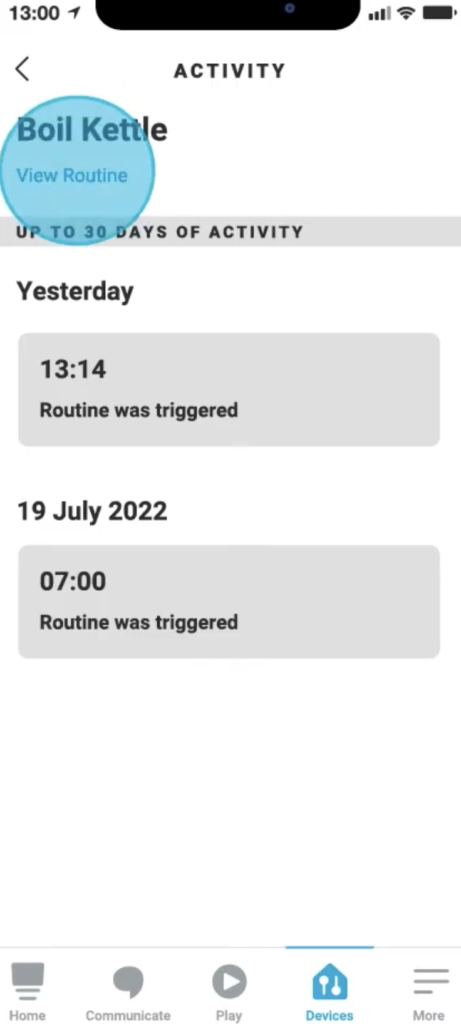
Buying the kettle is useless if you don’t automate it. Here is how to create the “Morning Tea” routine in Alexa so you never have to wait for water again.
Step 1: Create Routine
Open the Alexa App -> More -> Routines -> + (Plus).
Step 2: The Trigger
- When: “Alarm is dismissed” (If you use an Echo as an alarm).
- OR
- When: “Schedule” -> 07:15 AM (Weekdays).
Step 3: The Action
- Add Action: Smart Home -> All Devices -> [Kettle Name] -> Power On / Boil.
- Optional: Add a “Wait” command for 3 minutes, then add an action for Alexa to say: “The kettle has boiled.”
Real-World Reality: Community Feedback
We checked the reviews to find the hidden annoyances.
1. “I forgot to fill it!”
User Report: “It’s great, but useless if you used the last of the water for a Pot Noodle the night before. I turned it on remotely and it dry-boiled.”
💡 The Smart Tenant Fix:
Smart Kettles require a Lifestyle Change.
Our Advice: You must get into the habit of refilling the kettle immediately after you pour your last cup in the evening. It takes 2 weeks to build the habit, but then it becomes automatic.
2. “The Wi-Fi drops out”
User Report: “My kettle keeps going offline. I have to unplug it to reset it.”
The Smart Tenant Fix:
Kitchens are full of metal (fridges, microwaves, ovens) which block Wi-Fi signals.
Our Advice: Do not place the kettle directly behind the microwave. Move it to an open area of the worktop. If the signal is weak, a simple Wi-Fi Booster Plug (£15) placed in the kitchen doorway solves this instantly.
Frequently Asked Questions
Does it work with 5GHz Wi-Fi?
No. Like most smart home devices, the Swan and Aigostar kettles only work on the 2.4GHz Wi-Fi band. If you have a modern dual-band router (like Virgin/Sky), you might need to separate the bands or use the “Guest Network” to connect the kettle successfully.
Is it safe to boil an empty kettle remotely?
Yes. All the models listed have “Boil Dry Protection.” If you tap “Boil” on your phone but the kettle is empty, the sensor detects the rapid heat rise and cuts the power immediately. It won’t burn the house down.
Do smart kettles use more electricity?
Technically, yes, but it is negligible. The Wi-Fi chip stays “on” to listen for your command, consuming about 0.5 Watts (roughly £1.50 per year). However, the “Hold Temp” feature often saves energy because you don’t have to re-boil the kettle three times a morning.
How do I clean the limescale?
If you live in a hard water area (London/South East), the glass body of the Cosori/Aigostar will show scale quickly. Use a solution of White Vinegar and Water (50/50). Boil it, let it sit for an hour, and rinse. It will look brand new.
Verdict: Which One for Your Kitchen?
- Best Smart Kettle: Swan Alexa Kettle. It is the only true “Voice Control” kettle on this list that works out of the box with zero fuss. If you want to shout at Alexa to make tea, buy this.
- Best for Coffee Lovers: Cosori Variable Temp. It isn’t smart out of the box, but it pours beautifully and hits 90°C perfectly. (Pair it with a Tapo P110 to make it smart!).
- Best for Budget: Aigostar Smart Kettle. If you just want to boil water from your phone app for the lowest possible price, this is the one.