Short on Time? Here’s the bottom line:
The Quick Pick – The Amazon Bestseller Canon PIXMA TS4150i Space Saving Printer
The most reliable budget all in one for UK renters. Priced at just £39.00 with over 1,000 units bought last month, it delivers high speed wireless printing, scanning, and copying while maintaining a slim profile that fits easily on a narrow bookshelf.
Living in a rented UK flat or studio apartment usually means sacrificing a dedicated home office. Traditional printers are bulky, industrial blocks of plastic that demand permanent desk real estate and messy USB cables. For renters who work remotely or handle university coursework, finding a device that delivers document management without destroying room aesthetics is a major challenge. Furthermore, renting means frequent relocations, making heavy office equipment a liability during moving day.
Comparison Table
| SPEC | Canon PIXMA TS4150i | HP Envy 6120e | Canon SELPHY CP1500 |
|---|---|---|---|
| Best For | Overall Budget Value | Smart Connectivity | Ultra Portable Photo |
| Speed | 9 ppm Colour / 14 ppm Mono | 7 ppm Colour / 10 ppm Mono | Postcard Sized Print |
| Weight | 5.2 kg | 5.13 kg | 850 grams |
| Special | Auto Duplex Printing | Self Healing Wi-Fi | Dye Sublimation Tech |
| Where to Buy | Amazon | Amazon | Amazon |
Canon PIXMA TS4150i Space Saving Printer
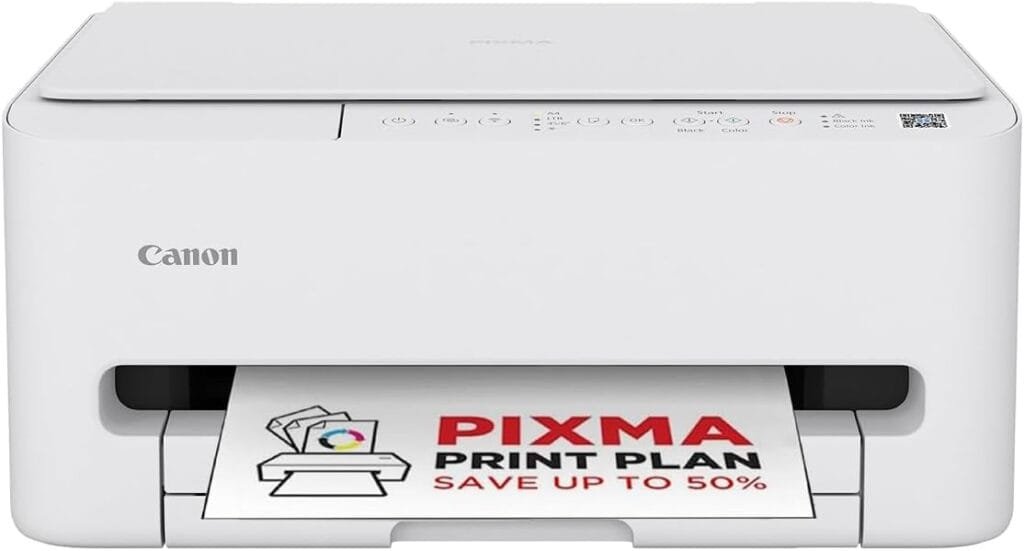
The Canon PIXMA TS4150i is the top choice for renters who need a fully functional office machine without paying a premium price. Priced at £39.00, it provides exceptional value for money during move in season when budgets are stretched across deposits and first month rent. This pairs perfectly with the organisational tips found in our HMO Move-In Essentials guide.
Why Renters Love It
- The Low Profile Footprint. It features a streamlined, space saving design with a 100 sheet enclosed cassette. This keeps paper dust free and prevents the unit from extending awkwardly across a small desk.
- Auto Duplex Capability. It prints double sided documents automatically, cutting your paper consumption in half. This is a vital feature for students managing strict printing allowances or remote workers watching household expenses.
- Smart Smartphone Integration. You can connect via Wi-Fi to print shipping labels, bank statements, or university essays directly from your phone without booting up a laptop.
The 10 out of 10 Metric
For transient renters moving every 12 to 24 months, the TS4150i offers a reliable temporary office solution that is light enough to lift into a car boot. It operates at 9 pages per minute in colour and 14 in monochrome, ensuring your administrative tasks are completed rapidly without running up high electricity bills.
HP Envy 6120e All in One Printer
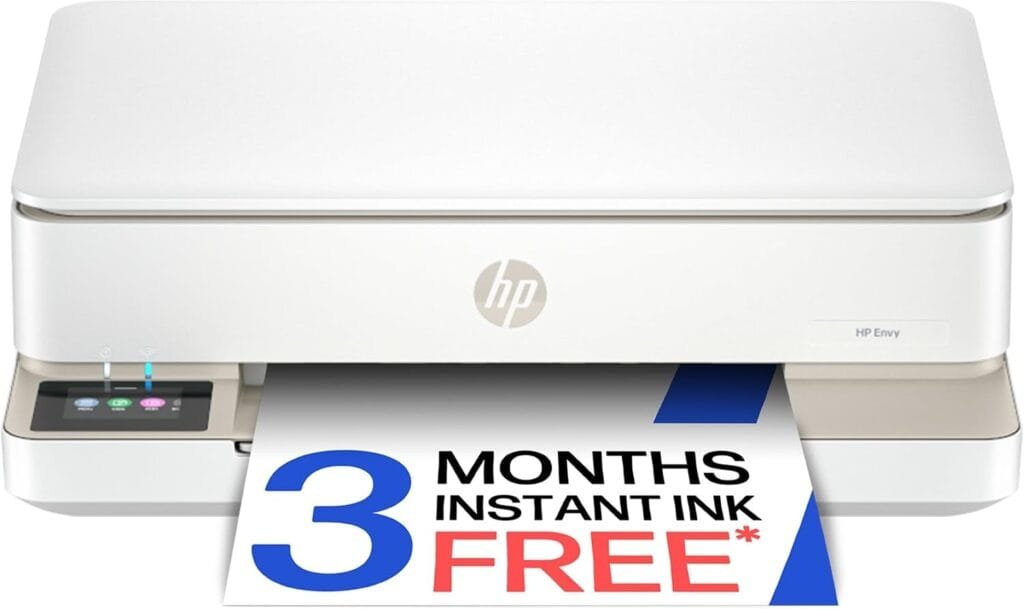
The HP Envy 6120e is engineered for seamless wireless performance. In older UK rental properties, thick internal walls often interfere with standard wireless connections, causing printer dropouts right before a deadline. When setting up your temporary desk space alongside one of our recommended Portable Monitors, a reliable printer ensures your remote workflow remains uninterrupted.
Why Renters Love It
- Self Healing Wi-Fi. The internal wireless system automatically detects and resolves connection interruptions, ensuring your printer is always online when you need it most.
- Touchscreen Navigation. It features an intuitive glass touch display that lights up only when needed, maintaining a clean, minimalist look in a shared bedroom.
- Borderless Printing. You can print vivid borderless photos and documents right to the edge of the page, making it ideal for creative renters or portfolio building.
The 10 out of 10 Metric
Weighing 5.13kg, it is a sturdy investment piece. While it is slightly heavier than budget alternatives, its build quality ensures it survives multiple property relocations without cracking its outer casing. It includes automatic two sided printing to protect your monthly paper costs.
Canon SELPHY CP1500 Mini Printer
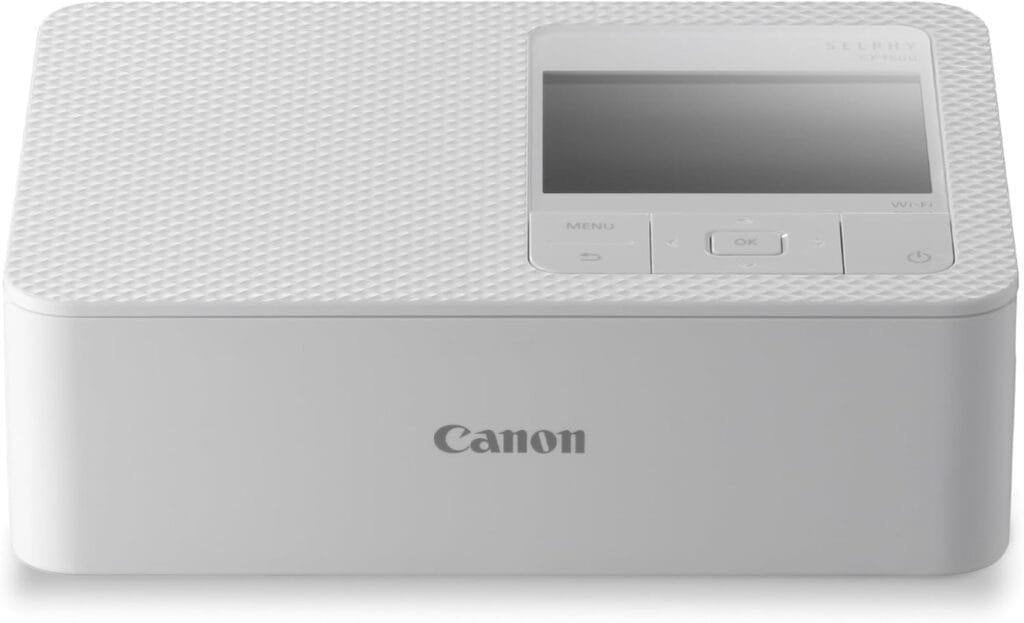
For renters with zero floor space and absolute minimal storage capacity, standard inkjets are impractical. The Canon SELPHY CP1500 is a dedicated miniature printer that redefines portable technology.
Why Renters Love It
- Featherlight Portability. Weighing just 850 grams, it is roughly the size of a paperback book. It slides into a bedside drawer or a laptop sleeve effortlessly.
- Dye Sublimation Technology. Instead of wet ink cartridges that dry out if left unused for months, the SELPHY uses thermal dye transfer. Prints emerge completely dry, water resistant, and protected against accidental liquid spills in shared kitchens.
- Standalone SD Card Slot. You can print photos and small notes directly from a memory card without needing a active Wi-Fi connection, which is useful during temporary internet outages.
The 10 out of 10 Metric
If you move house frequently and value minimalism above all else, the SELPHY is the ultimate transient asset. It retains strong resale value on secondary marketplaces and eliminates the recurring headache of dried up ink nozzles. To maintain a clean desk environment around your new printer, check out our guide on Hiding Ugly Cables.
Real World Reality What the Community Says
1. The Ink Subscription Trap
USER REPORT
I signed up for an automated ink delivery service with my new printer. When I stopped using it over the summer holidays, they kept billing me. Cancelling it was a nightmare and cost me twenty pounds in penalty fees.
💡
The Smart Tenant Fix
Automated consumable subscriptions create ongoing financial commitments that clash with transient rental lifestyles.
Our Advice
Buy your ink cartridges manually as needed. Avoid locking yourself into automated replenishment plans unless you use the printer heavily every single week.
2. The Desk Space Clutter
USER REPORT
My flat is so small that my printer had to live on the dining table. Every time I wanted to eat, I had to unplug it and store it on the floor, which eventually caused me to trip over the power brick.
💡
The Smart Tenant Fix
Printers without enclosed paper trays take up twice their footprint when loaded.
Our Advice
Choose a model with an internal cassette like the Canon PIXMA. It keeps paper fully enclosed and lets you push the entire machine flush against a wall when not in use.
Manual Canon PIXMA TS4150i Setup
Based on the video above, please find these instructions below.
Get Your Printer Ready
Follow the six steps below to complete the initial setup.
Connect the power cable to the rear connection port of the printer and plug it directly into a standard wall socket.
Press the power button located on the top control panel to turn the device on, and wait for the green indicator light to stabilise.
Lift the upper scanner unit to access the internal print head carriage, which will move to the centre position automatically.
Take the ink cartridges out of their protective packaging and remove the protective orange tape. Insert the colour cartridge into the left slot and the black cartridge into the right slot, pushing upwards until they click securely into place. Lower the inner cover and the top scanner lid.
Pull out the front paper cassette drawer. Adjust the blue sliding paper guides to match your media format. Load standard A4 paper with the smooth printable side facing downward, then slide the cassette back into the base of the printer.
Press the paper selection button on the control panel to cycle through the available formats until the A4 indicator light is illuminated, then press the OK button to confirm your media settings and complete the initial hardware setup.
The Proptech Audit The Furniture Scuff Moat
Most UK rental properties are furnished with lightweight desks or wooden tables that scratch easily. A heavy printer dragged across a cheap veneer surface will leave permanent grey scuff marks or deep abrasions. Landlords frequently charge between £40 and £80 to repair or replace scratched desk panels during the final deposit inventory check.
The Smart Tenant fix is to place your compact printer on a dedicated silicone desk mat or a sheet of felt padding. This absorbs the mechanical vibrations of the printing heads, stops the unit from sliding around during high speed mono printing, and creates a protective barrier between the rubber feet and the landlord’s furniture. It is a simple, zero cost habit that guarantees your desk inspection passes without dispute.
Frequently Asked Questions
Does the Canon PIXMA TS4150i come with ink installed?
Yes. It includes a starter set of ink cartridges in the box so you can begin printing immediately upon delivery.
Can I print from my phone without a router?
Yes. Most modern compact printers feature wireless direct modes that allow your phone to connect directly to the printer.
Is dye sublimation better for renters?
Yes. It uses solid colour sheets that never leak, dry out, or spill inside your removal boxes.