Short on time? Here’s the bottom line:
🔥 The Quick Pick – The Smart Renter Choice Aurzen EAZZE D1R Roku TV Projector
The most advanced portable projector for UK renters. It features native Roku TV integration, full high definition 1080p resolution, and intelligent auto focus and auto keystone correction. It transforms any blank wall into a 150 inch cinema screen in seconds without a single wall anchor.
Setting up a home cinema in a rented UK flat or studio apartment usually presents a major structural challenge. Traditional television screens require heavy furniture media units, while large flat panel displays demand wall mounting with masonry screws and heavy wall anchors. For tenants, drilling into walls is a direct violation of standard lease agreements, resulting in costly deposit deductions upon check out. Furthermore, hauling a bulky television during a house move every twelve to twenty four months is a logistical nightmare.
To solve this, you need a portable, streaming focused entertainment system that projects onto a blank rental wall and packs into a small box when you relocate.
Comparison Table
Projector Comparison
Quick side-by-side look at four popular models
| SPEC |
Aurzen EAZZE D1R
Roku Native
|
Yaber Smart Projector
Obstacle Avoid
|
Magcubic HY300Pro+
Budget Pick
|
Sensei Indoor WiFi
Basic Range
|
|---|---|---|---|---|
| Best For | Native Roku OS | Obstacle Avoidance | Budget Portability | Basic Range Pick |
| Resolution | Full HD 1080p | 1080p / 4K Decode | Native 720p | High Definition |
| Smart System | Roku TV OS | Linux Smart OS | Android 14 | Wi-Fi Casting |
| Special | Auto Focus / Keystone | 330° Gimbal | 180° Stand | Adjustable Stand |
| Where to Buy |
Aurzen EAZZE D1R Roku TV Projector
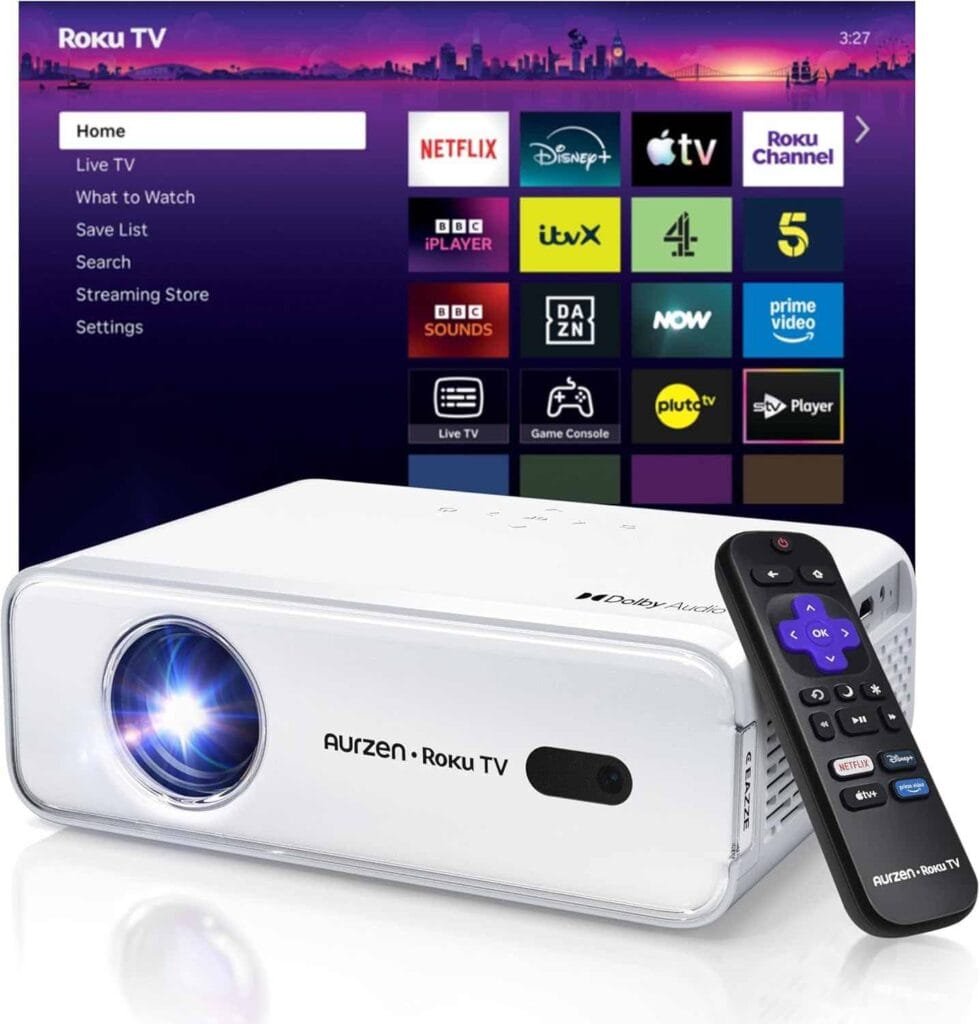
The Aurzen EAZZE D1R is the top choice for renters who want a genuine smart television experience without owning a physical television. Because it runs native Roku TV, you receive access to BBC iPlayer, ITVX, Channel 4, Netflix, Disney Plus, and over 500 free live television channels straight out of the box.
Why Renters Love It
- Zero Wall Mounting. It sits on any standard bedside table, chest of drawers, or desk. You point it at a blank white wall and instantly achieve a screen size ranging from 60 inches up to 150 inches. This completely removes the risk of structural wall damage.
- Advanced Auto Alignment. Traditional projectors require manual lens rings and tile adjustments to square the picture. The D1R features automated focus and keystone correction. You simply place the unit down, power it on, and the internal sensors square the image automatically within seconds.
- Smartphone Remote Integration. You can download the official Roku mobile app to turn your phone into a fully functional replacement remote. This is an essential feature for renters who misplace physical remotes during house moves.
The 10 out of 10 Metric
For transient renters moving every 12 to 24 months, this projector acts as an all in one entertainment hub weighing a fraction of a standard television. It features dual 5W Dolby Audio stereo speakers with 3D stereo sound built directly into the white compact chassis, eliminating the need to pack bulky external soundbars or surround sound wiring. When your tenancy ends, the entire cinema setup packs into the original cardboard box in under two minutes.
Yaber Smart Projector
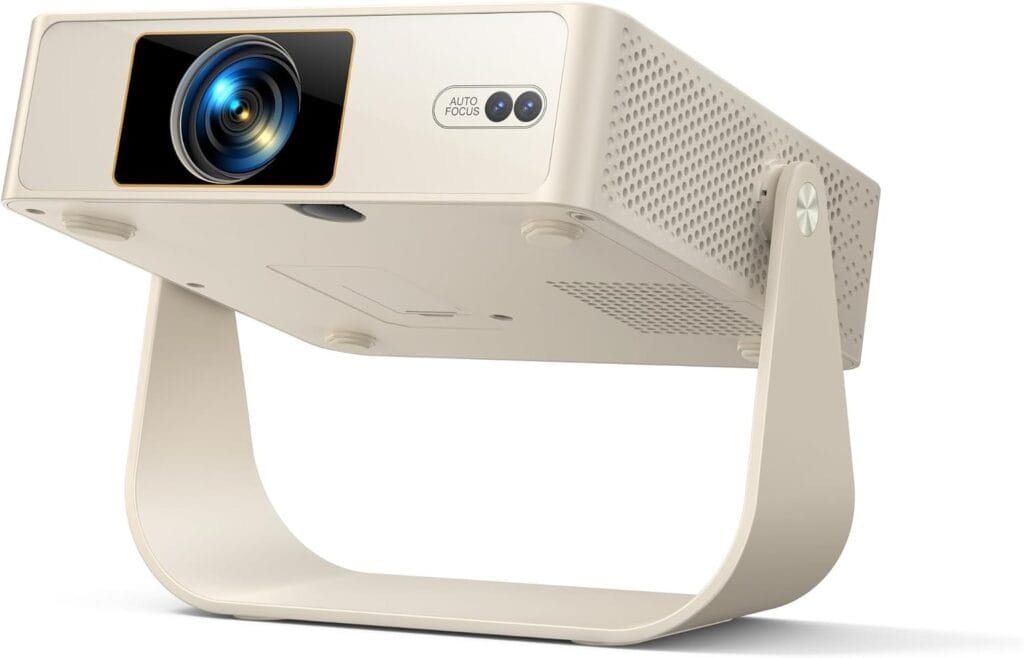
The Yaber Smart Projector is the alternative choice for renters dealing with awkwardly shaped rooms or cluttered bedroom walls filled with picture frames and light switches.
Why Renters Love It
- Smart Obstacle Avoidance. This technology detects switches, picture hooks, or wall art on your projection surface and automatically shrinks or shifts the digital display to fit the empty space.
- 330 Degree Rotatable Gimbal. It includes a built in rigid stand that lets you tilt the projection angle upward onto a ceiling. This is ideal for renters who prefer watching movies while lying flat in bed.
- Direct App Streaming. It runs a linux smart operating system that supports direct streaming from major platforms without requiring external media players.
The 10 out of 10 Metric
Built with a comfortable integrated handle and a lightweight form factor, it is engineered for portability. It pairs perfectly with our recommendations for Portable Monitors to create a complete, drill free remote workspace and entertainment zone in a tiny studio flat.
Magcubic HY300Pro+ Mini Projector
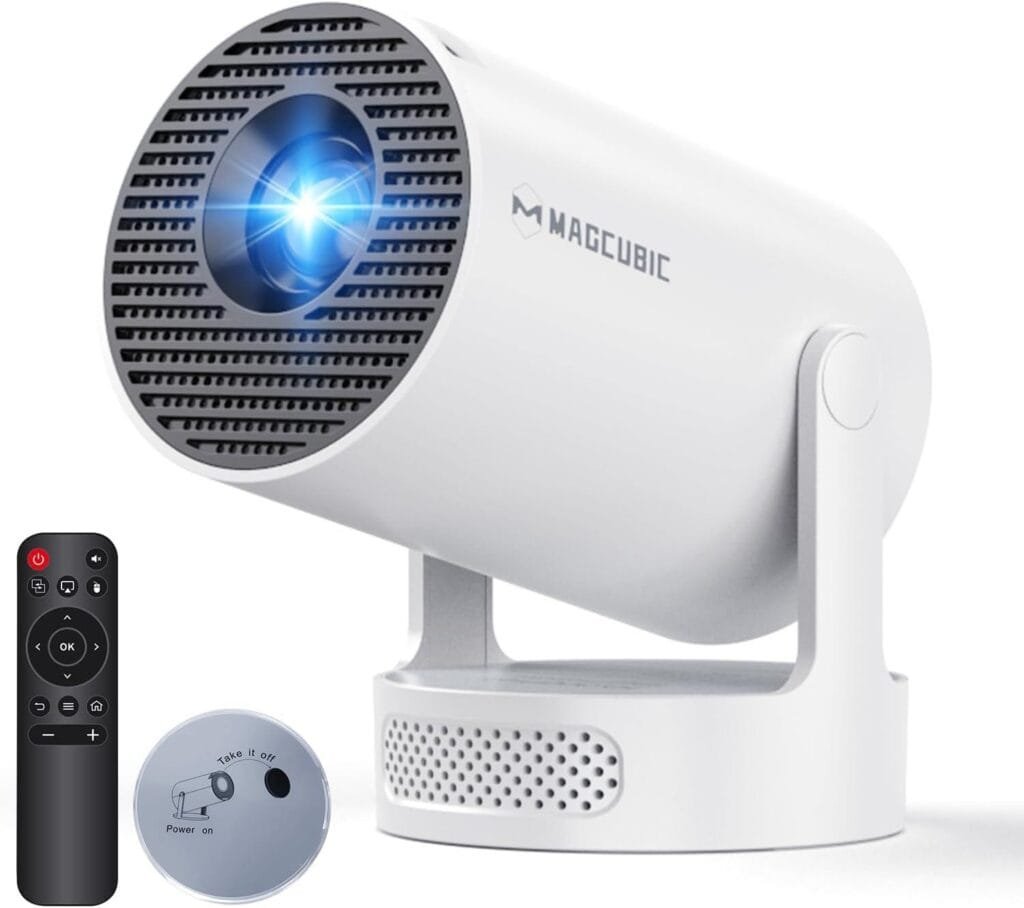
For students and young professionals on a strict budget, the Magcubic mini projector offers a highly accessible entry point into projection technology.
Why Renters Love It
- Featherlight Weight. Weighing just 0.4kg, it is one of the lightest smart projectors available on the UK market. It slips easily into a backpack alongside your university or work laptop.
- Flexible 180 Degree Rotation. The circular base allows you to swivel the lens vertically, directing the screen from the wall to the ceiling with a simple manual adjustment.
- Android 14 Ecosystem. It comes preloaded with an app store, giving you access to thousands of streaming titles right out of the box.
The 10 out of 10 Metric
At its very accessible price point, it provides casual renters with a massive visual upgrade over a laptop screen without breaking the move in budget. To ensure your desk setup remains tidy around your new tech, combine this unit with our guide on Hiding Ugly Cables.
Sensei Indoor WiFi Projector
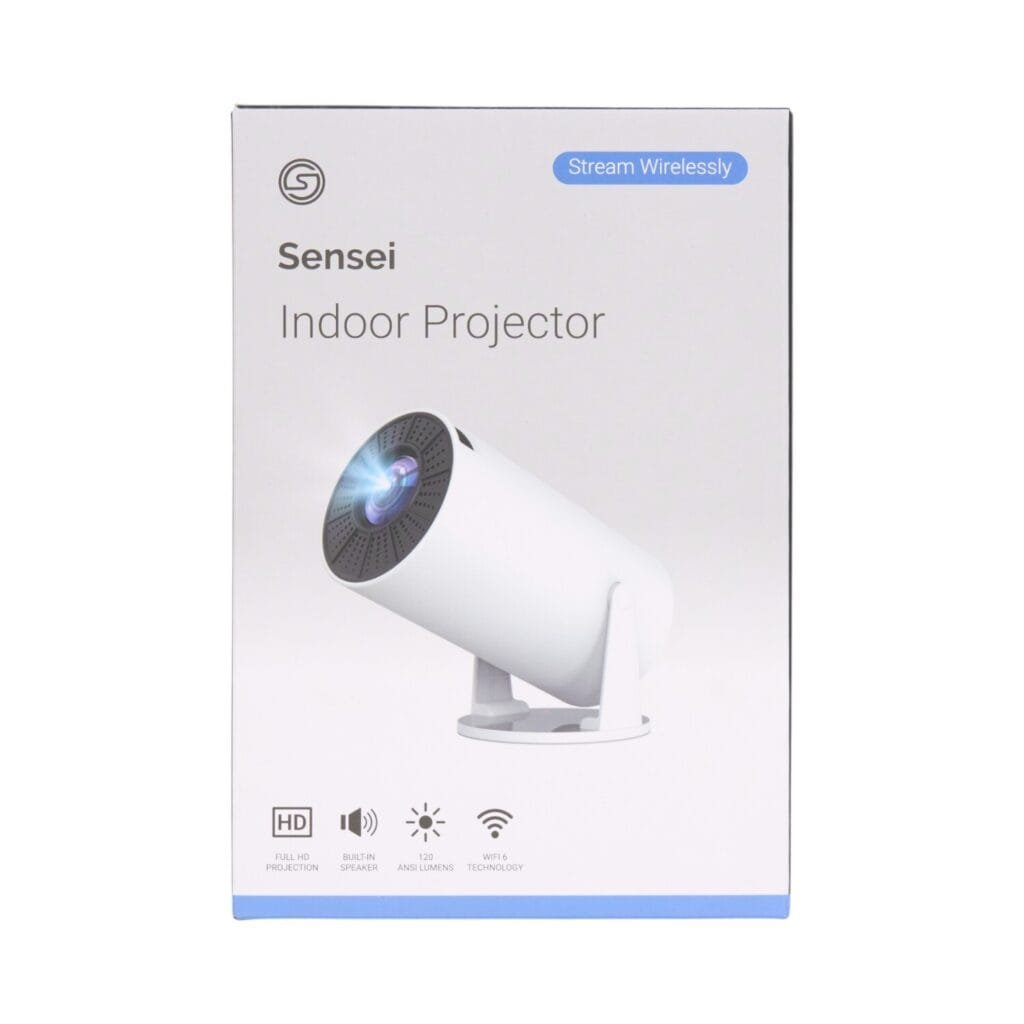
Our AWIN yield partner option for this category is the Sensei Indoor WiFi Projector, available via The Range marketplace.
Why Renters Love It
- Flexible Financing. Available through The Range, this projector can be purchased using Klarna or Clearpay, allowing you to spread the £49.95 cost across manageable instalments. This is a significant cash flow benefit during expensive moving months.
- High Definition Projection. It supports up to 4K input content and projects a massive screen up to 130 inches. It is an ideal backup entertainment system for hosting movie nights in a shared house lounge.
- Adjustable Stand. The 180 degree adjustable stand ensures you can position the lens correctly on uneven rental sideboards.
The Technical Highlight
It features built in speakers and wireless 5.0 connectivity, allowing you to cast your phone screen instantly. It is a solid, low commitment purchase that protects your primary electronics budget.
Real World Reality: Community Feedback
1. “The Daylight Glare Issue” (Reddit Insight)
USER REPORT
“I bought a budget projector for my flat and tried to watch a football match at 2 PM on a sunny Saturday. The picture was completely washed out and I could barely see the players on the wall.”
💡
The Smart Tenant Fix
Projectors rely on ambient light control. The Aurzen EAZZE D1R puts out 280 ANSI lumens, which performs well in controlled lighting but struggles against direct afternoon sunlight.
Our Advice
You must pair any portable projector with proper window coverings. We recommend combining your projector setup with our guide on Heatwave Blinds or blackout curtains. Dimming the room is the only way to replicate a true cinema contrast ratio in a rental flat.
2. “The Missing Soundbar Connection” (Amazon Review)
USER REPORT
“The picture quality was amazing for the price, but the built in speakers were too quiet when my flatmates started talking in the kitchen.”
💡
The Smart Tenant Fix
Compact projectors have limited internal cabinet space for large acoustic drivers.
Our Advice
Take advantage of the Bluetooth 5.2 connectivity on the Aurzen model. Pair it with a wireless Bluetooth speaker or a compact soundbar. This gives you cinematic audio power without cluttering your floor with messy wired speaker systems.
Aurzen EAZZE D1R Setup
Based on the video above, please find these instructions below.
Step 1. Unbox the projector, place it on a stable surface like a chest of drawers or a bedside table, and plug the power cable into the rear socket.
Step 2. Insert two AAA batteries into the Roku remote control.
Step 3. Press the power button on the top control panel or the remote to turn the device on.
Step 4. Follow the on screen activation prompts. Select your language, connect to your home Wi-Fi network, and log into your existing Roku account or create a free one.
Step 5. Use the automated system to select your projector placement, choosing between front tabletop or ceiling mount depending on your room layout.
Step 6. Allow the internal sensors to run the auto focus and auto keystone calibration. The grid pattern will disappear once the image is squared perfectly against your rental wall.
The Proptech Audit: The “Wall Anchor” Moat
Landlords in the UK maintain strict zero tolerance policies regarding unapproved wall alterations. Installing a standard television bracket requires masonry bits, heavy rawl plugs, and four to six large holes drilled deep into structural walls. When a tenant moves out, filling those holes and color-matching the surrounding emulsion paint is extremely difficult. Landlords frequently deduct a substantial fee from the security deposit to cover professional wall patching and repainting.
The Smart Tenant fix is to completely abandon physical televisions and wall mounts in favour of a smart projector like the Aurzen EAZZE D1R. Because it sits freely on existing furniture and projects onto a blank wall, it creates a 150 inch visual display with zero physical footprint. When your tenancy ends, you pack the projector in a box, leaving behind zero holes, zero anchors, and zero deposit deductions. This is the ultimate structural moat for transient renters. For more space saving strategies, review our Combination Microwaves guide.
Frequently Asked Questions
Does the Aurzen projector require a separate streaming stick?
No. It features the native Roku TV operating system built directly into the hardware.
Can I connect Bluetooth speakers to the D1R?
Yes. It features Bluetooth 5.2 connectivity to pair with wireless audio devices.
Is the image bright enough for a lit room?
It outputs 280 ANSI lumens, which requires dimming the lights or closing the curtains for optimal clarity.