🔥 THE QUICK PICK: In a hurry? Our #1 recommendation for the ultimate “Smart” kitchen is the Swan Alexa Kettle (Gen 2). As the world’s first Alexa-integrated kettle, it allows you to change temperature and start the boil using only your voice. It’s the perfect no-drill luxury upgrade for under £100.
We Brits drink 100 million cups of tea a day. But the worst part of the ritual is the 3 minutes spent standing in a cold kitchen at 7 AM, shivering while you wait for the kettle to boil.
For homeowners, the dream is a “Quooker” boiling water tap. But those cost £1,200, require drilling into the worktop, and plumbing into the mains. That is not happening in a rental property.
The Renter-Friendly solution? A Smart Wi-Fi Kettle.
These look like standard kettles, but they contain a Wi-Fi chip that connects to your phone or Alexa. You can tap a button from under your duvet, and by the time you walk to the kitchen, the water is boiled and waiting.
We tested the best options on Amazon to see which ones actually stay connected to Wi-Fi, which ones keep water hot without re-boiling, and which ones are best for precision coffee brewing.
Pro Tip: If you’re worried about your landlord’s reaction, grab our [free permission letter template] to get official written sign-off in seconds.”
Visual Comparison: The “Morning Routine” Heroes
Find the perfect smart jug for your kitchen
| Spec |
Swan Alexa
Gen 2
|
Igenix Smart
Jug
|
Cosori
Variable
|
Aigostar
Smart
|
|---|---|---|---|---|
| Best For | Voice Control | Budget & Klarna | Coffee Precision | Budget Visuals |
| Capacity | 1.5 Litres | 1.5 Litres | 1.7 Litres | 1.7 Litres |
| Connectivity | Wi-Fi (Native) | Smart Life App | Manual Switch | AigoSmart App |
| Temp Range | 4 Presets | 5 Settings | 40°C – 100°C | 40°C – 100°C |
| Renter Rating | ||||
| Where to Buy | Amazon | The Range | Amazon | Amazon |
Ratings based on aggregated renter reviews · Prices & availability may vary
The “Keep Warm” Secret
Top Pick: Swan Alexa Kettle (Gen 2)
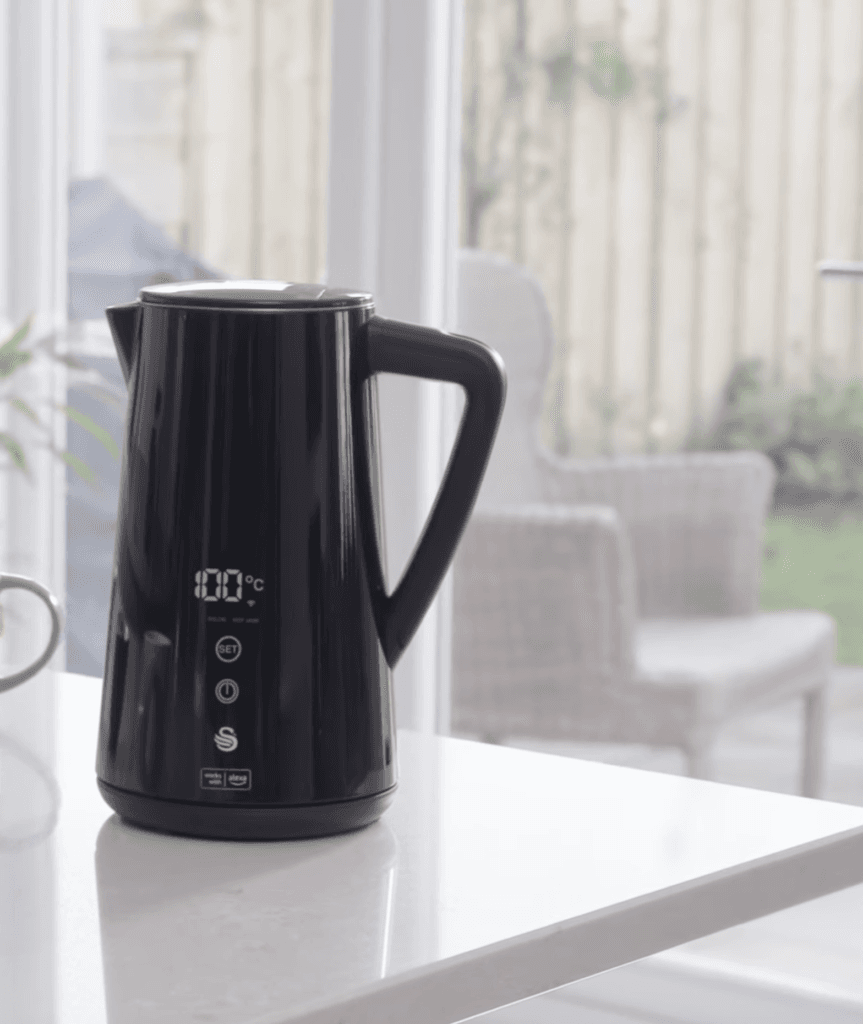
If you live in an Amazon Echo household, the Swan Alexa Kettle is the native choice. It doesn’t just “work with” Alexa; it feels like it is an Alexa device.
Why It’s Renter Friendly
- Voice Command: You don’t need to open an app. You can literally shout from the living room: “Alexa, boil the kettle.”
- The Routine: You can add it to your “Good Morning” routine. When you dismiss your alarm, Alexa can turn on the lights, read the news, and start boiling the kettle automatically.
Pros:
- Looks like a traditional “normal” kettle (Black, minimalist).
- “Cool Touch” exterior protects hands from burns.
- Rapid boil technology.
Cons:
The “Gen 1” version had connection issues (Ensure you buy Gen 2).
Capacity is slightly smaller (1.5L) than the Cosori.
Strategic Choice: Igenix 1.5L Smart Jug Kettle

The Igenix Smart Jug is the strategic choice for professional renters who use the Smart Life app to manage their home. While other brands use proprietary software: Igenix plugs directly into the most popular smart home ecosystem in the UK.
Why Renters Love It
- Klarna Flexibility: Available via The Range: this kettle can be purchased using Klarna. This allows renters to spread the cost over three interest free installments: which is vital when managing a move in budget.
- The Matte Finish: The stylish matte black finish is not just aesthetic: it hides the fingerprints and water marks that often plague stainless steel kettles in busy HMO kitchens.
- Remote Temperature Control: You can set the kettle to 70°C for delicate teas or 90°C for coffee directly from your phone. This precision prevents the “Over-Boil” which leads to excessive steam and dampness in small rental kitchens.
The Technical Highlight
The Igenix features a 2 hour “Keep Warm” function. For a renter working from home: this eliminates the need to re-boil the kettle every time you want a second cup. This saves significant electricity over a twelve month tenancy.
The Precision Pick: Cosori Variable Temp (Glass)
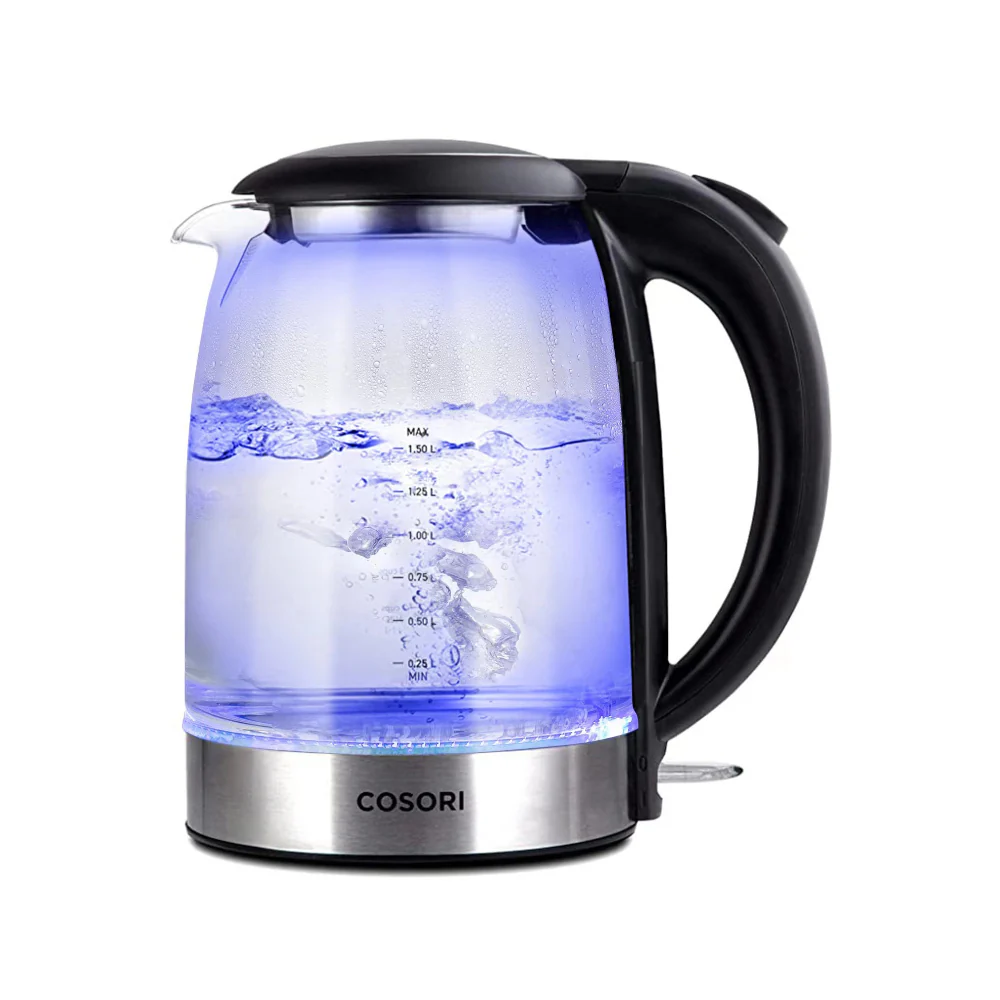
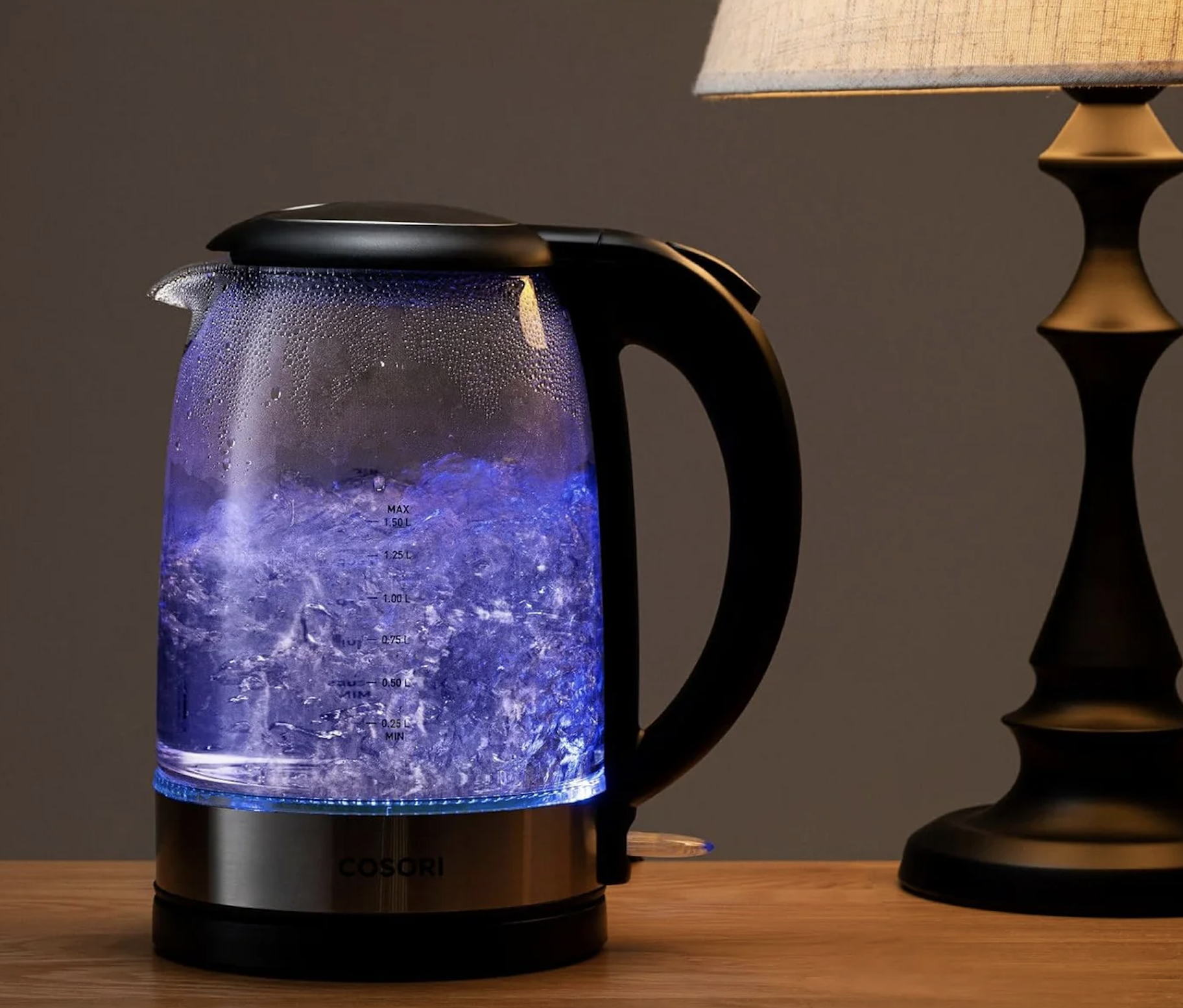
Important Note: This specific model is not Wi-Fi enabled.
However, it is the highest-rated Precision kettle on the market. We included it because many renters prefer Glass purity and Coffee accuracy over voice control.
Why It’s Renter Friendly
- Glass Body: Unlike plastic kettles which can taste “chemical” for the first month, the Cosori is made of borosilicate glass. It tastes clean from day one.
- The “Hold Temp” Mode: Once boiled, you can tell the Cosori to hold that temperature for up to 60 minutes. You boil the kettle for a pot of tea, pour one cup, and put the pot back. 40 minutes later, you want a second cup. The water is still at 80°C. No need to re-boil (saving electricity).
💡 The “Smart Plug” Hack
Because this Cosori kettle uses a physical “Click” switch (not a digital soft-touch button), you can make it smart!
- Fill it with water the night before.
- Click the switch down to “On.”
- Plug it into a Tapo P110 Smart Plug.
- Result: When you wake up, turn the Plug on via your phone. The kettle receives power and starts boiling immediately.
Pros:
- Fast boiling (3000W element).
- Glass design lets you see water level clearly.
- Perfect temperatures for Green Tea (80°C) and Coffee (90°C).
Cons:
- Requires a separate Smart Plug for automation.
- The beep when it finishes is quite loud.
The Budget Pick: Aigostar Smart Kettle
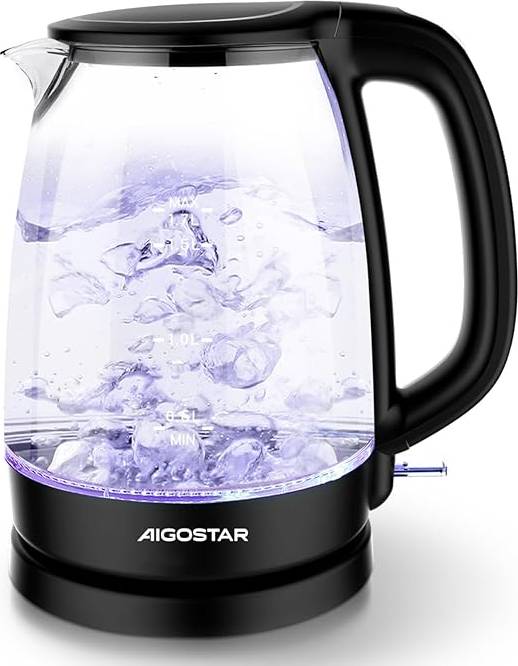
If you want true App control features but don’t want to spend nearly £100 on the Swan, Aigostar offers a fantastic budget alternative.
Why It’s Renter Friendly
- The Price: It is often on sale for around £35-£45. For a Wi-Fi enabled appliance, that is a steal.
- LED Colour Ring: The glass body has an LED ring that changes colour based on temperature (Green for 60°C, Blue for 80°C, Red for 100°C). It looks great on a kitchen counter at night and lets you know if the water is still hot just by looking at it.
Pros:
- Cheapest way to get “Voice Control” boiling in your kitchen.
- Comes with a tea infuser accessory in some bundles.
- Glass body (no plastic taste).
Cons:
- The “AigoSmart” app is a bit clunkier than the Swan integration.
- Boils slightly slower than the Swan.
Annotated Manual: The “Routine” Setup
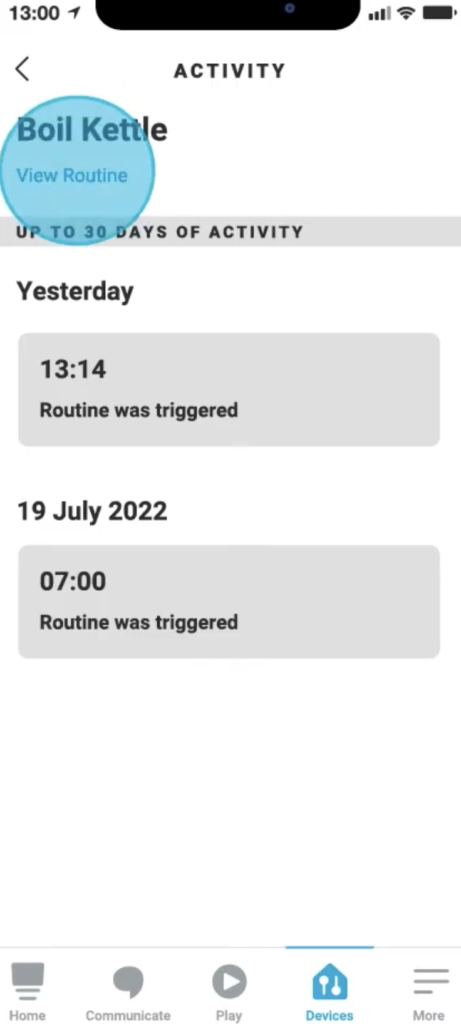
Buying the kettle is useless if you don’t automate it. Here is how to create the “Morning Tea” routine in Alexa so you never have to wait for water again.
Step 1: Create Routine
Open the Alexa App -> More -> Routines -> + (Plus).
Step 2: The Trigger
- When: “Alarm is dismissed” (If you use an Echo as an alarm).
- OR
- When: “Schedule” -> 07:15 AM (Weekdays).
Step 3: The Action
- Add Action: Smart Home -> All Devices -> [Kettle Name] -> Power On / Boil.
- Optional: Add a “Wait” command for 3 minutes, then add an action for Alexa to say: “The kettle has boiled.”
Real-World Reality: Community Feedback
We checked the reviews to find the hidden annoyances.
1. “I forgot to fill it!”
User Report: “It’s great, but useless if you used the last of the water for a Pot Noodle the night before. I turned it on remotely and it dry-boiled.”
💡 The Smart Tenant Fix:
Smart Kettles require a Lifestyle Change.
Our Advice: You must get into the habit of refilling the kettle immediately after you pour your last cup in the evening. It takes 2 weeks to build the habit, but then it becomes automatic.
2. “The Wi-Fi drops out”
User Report: “My kettle keeps going offline. I have to unplug it to reset it.”
The Smart Tenant Fix:
Kitchens are full of metal (fridges, microwaves, ovens) which block Wi-Fi signals.
Our Advice: Do not place the kettle directly behind the microwave. Move it to an open area of the worktop. If the signal is weak, a simple Wi-Fi Booster Plug (£16) placed in the kitchen doorway solves this instantly.
Frequently Asked Questions
Can I pay with Klarna for the Igenix kettle?
Yes. Selecting The Range as your retailer allows you to use Klarna at the checkout.
Does the Swan kettle work with Google Home?
Yes. All the models listed have “Boil Dry Protection.” If you tap “Boil” on your phone but the kettle is empty, the sensor detects the rapid heat rise and cuts the power immediately. It won’t burn the house down.
Do smart kettles use more electricity?
Technically, yes, but it is negligible. The Wi-Fi chip stays “on” to listen for your command, consuming about 0.5 Watts (roughly £1.50 per year). However, the “Hold Temp” feature often saves energy because you don’t have to re-boil the kettle three times a morning.
Does the Swan kettle work with Google Home?
Yes. It is compatible with both Amazon Alexa and Google Home ecosystems.