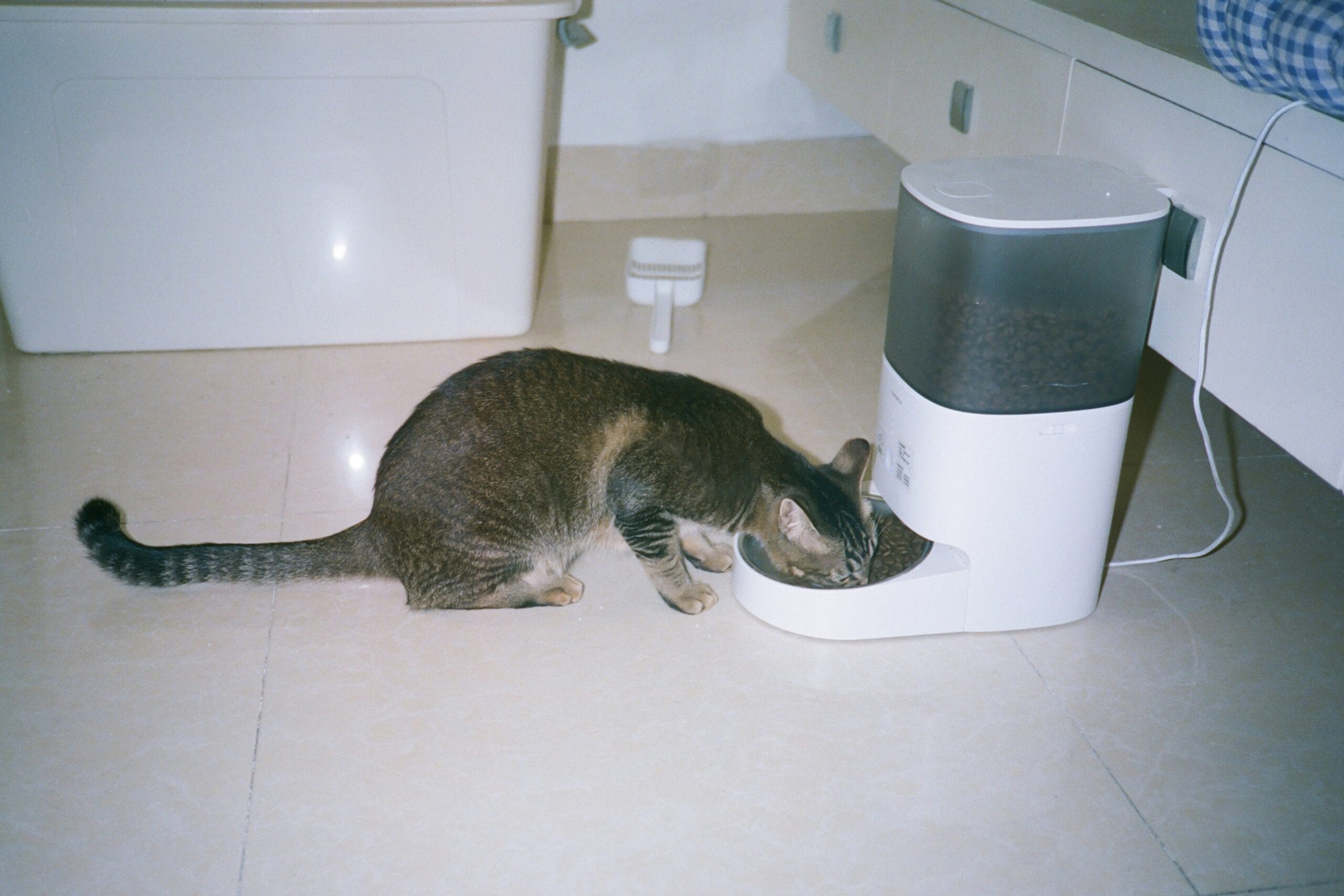
The UK summer is finally arriving. The sun is out, the pub gardens are calling, and your friends want to go for an impromptu day trip to the beach.
But as a renter with a pet, you have a ticking clock in your head.
“I have to be back by 5:00 PM to feed the cat.”
The guilt of leaving your pet alone in a small flat ruins the vibe of the weekend. You can’t install a cat flap because you rent a second-floor apartment. You can’t ask your landlord to let the dog out. You are chained to your pet’s stomach.
The Renter-Friendly Solution? A Smart Wi-Fi Pet Feeder.
These plug-and-play countertop gadgets completely remove the anxiety of leaving your pet at home. They dispense perfectly portioned dry food on an automated schedule. The premium models even include 1080p cameras and two-way audio, allowing you to watch your dog eat and tell them they are a “good boy” from a pub garden 50 miles away.
We tested the best automatic cat and dog feeders available in the UK to see which ones have reliable apps, which ones won’t get jammed by chunky kibble, and which ones have battery backups in case your landlord’s dodgy electrics trip while you are out.
Comparison: The “Weekend Freedom” Feeders
| Spec | Petlibro Camera Feeder | Petlibro Wi-Fi (No Camera) | Xiaomi Smart Pet Feeder |
|---|---|---|---|
| Best For | Ultimate Peace of Mind | Multi-Pet Homes / Budget | Xiaomi Ecosystem Users |
| Camera? |
✔ Yes 1080p HD + Night Vision |
✘ No |
✘ No |
| Capacity | 5 Litres | 2 Litres | 1.8 kg (approx 3.6L) |
| Two-Way Audio |
✔ Yes Live talk |
✘ No Pre-recorded voice only |
✘ No |
| Backup Battery |
✔ Yes 3x D Batteries |
✔ Yes 3x D Batteries |
✔ Yes 4x AA Batteries |
| Renter Rating | Excellent | Very Good | Very Good |
A Renter Game-Changer
1. Top Pick: PETLIBRO Automatic Cat Feeder with Camera (5L)
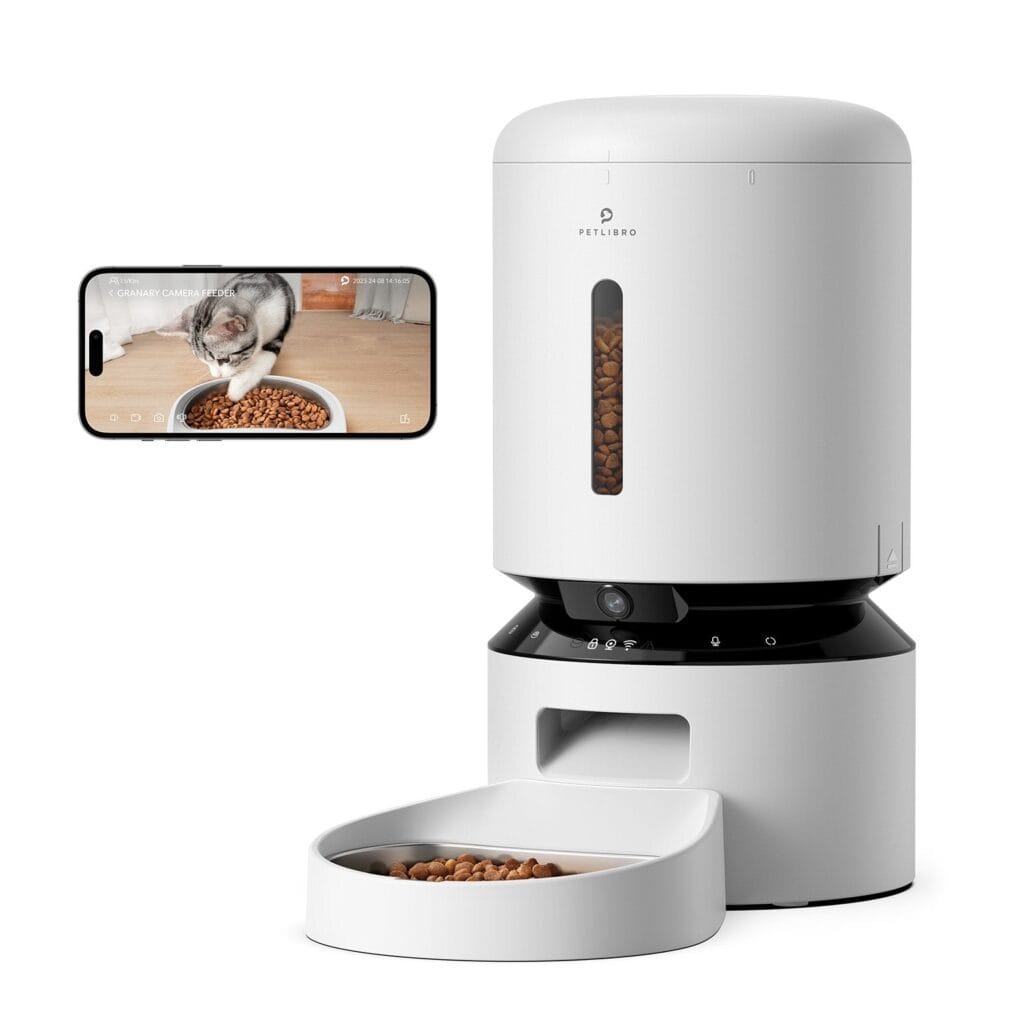
Petlibro is essentially the Apple of the pet care world. The build quality is exceptional, and their app is one of the most reliable on the market. If you suffer from “Pet Parent Guilt,” this camera model is the cure.
Why It’s Renter Friendly
- 1080p Camera & Night Vision: You don’t need to buy a separate indoor security camera. This sits at ground level (pet height). You can open the app from anywhere in the world and watch your cat or dog eat in real-time, even in pitch black.
- Two-Way Audio: You can hear them crunching their food, and you can press a button on your phone to say, “Dinner time!”
- Motion Detection: The app sends a push notification to your phone saying “Motion Detected at Feeder,” so you know exactly when your pet has entered the kitchen.
Pros:
- Incredible peace of mind for anxious owners.
- Massive 5L capacity holds enough food for weeks.
- Patented anti-jamming rotor ensures kibble never gets stuck.
Cons:
- Expensive: Usually over £100.
- Requires a strong Wi-Fi signal in the kitchen to stream the video feed smoothly.
2. The Budget/Multi-Pet Pick: PETLIBRO Wi-Fi (2L)
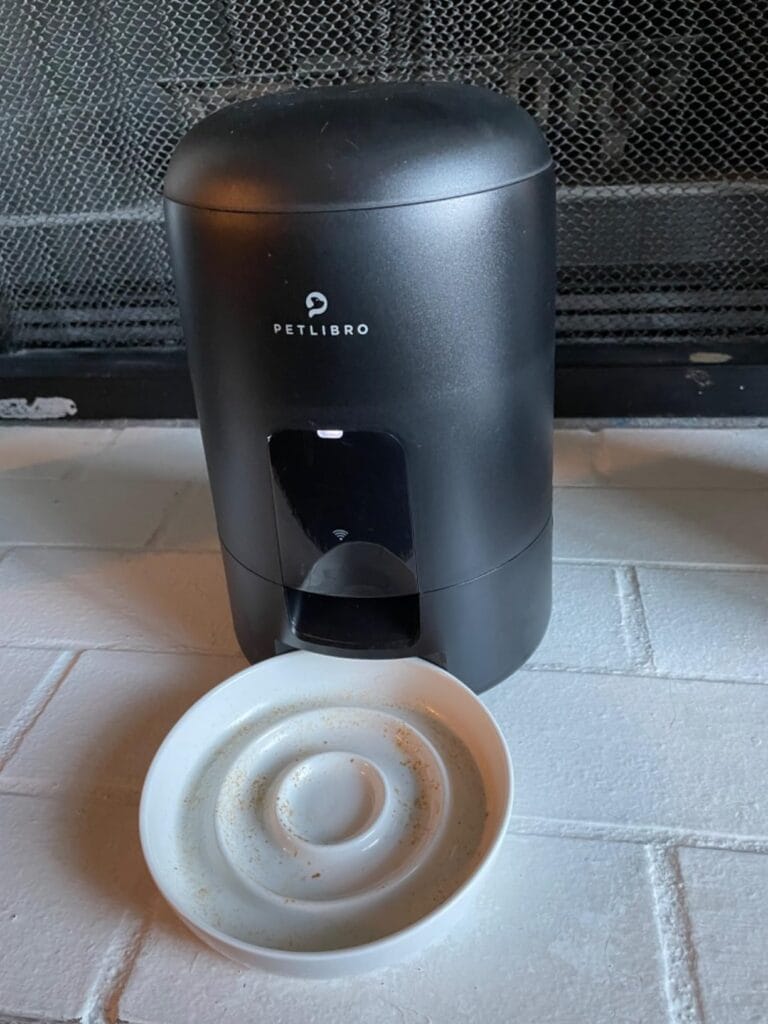
If you don’t need to physically see your pet, but you still want the convenience of app control and scheduling, the standard Petlibro Wi-Fi model is half the price.
Why It’s Renter Friendly
- Compact Footprint: The 2-Litre version is tiny. If your rental kitchen has zero floor space, this sits neatly in a tight corner without becoming a tripping hazard.
- Personalised Voice Meal Call: While it doesn’t have live two-way audio, you can record a 10-second audio clip on your phone (e.g., “Here kitty, dinner time!”). The machine plays this recording loudly every time it dispenses food, creating a comforting routine for your pet while you are away.
Pros:
- Very affordable (£50–£60).
- App control lets you feed them manually if you are working late at the office.
- Easy to clean (stainless steel bowl).
Cons:
- No camera.
- 2L capacity means you have to refill the hopper more frequently.
3. The Design Pick: Xiaomi Smart Pet Food Feeder
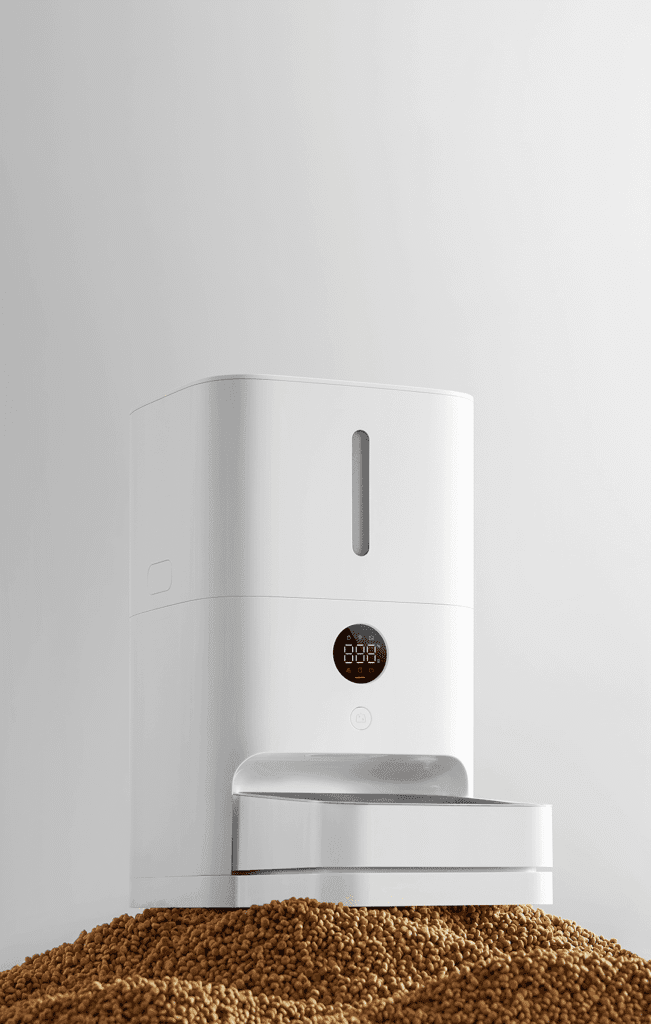
If you already use Xiaomi smart home products, or you just want an appliance that looks incredibly sleek and minimalist in a modern apartment, the Xiaomi is a beautiful piece of kit.
Why It’s Renter Friendly
- The Silicone Sealing Ring: Xiaomi engineered an incredibly tight triple-seal system for the lid and dispensing door. If your rental flat is prone to damp or humidity this feeder guarantees the dry biscuits will not go soggy or mouldy.
- The Xiaomi Home App: It integrates flawlessly into the Xiaomi ecosystem. You can use the app to monitor exactly how many grams of food were dispensed today, which is brilliant if your pet is on a strict diet advised by the vet.
Pros:
- Stunning, minimalist white design.
- Hidden, bite-proof nylon power cable (safe for chewing puppies).
- Exceptional food preservation seals.
Cons:
- App setup can sometimes be finicky.
- The food bowl is quite deep, which some flat-faced cats (like Persians) may find irritating to eat from.
Annotated Manual: The “2.4GHz Wi-Fi” Trap
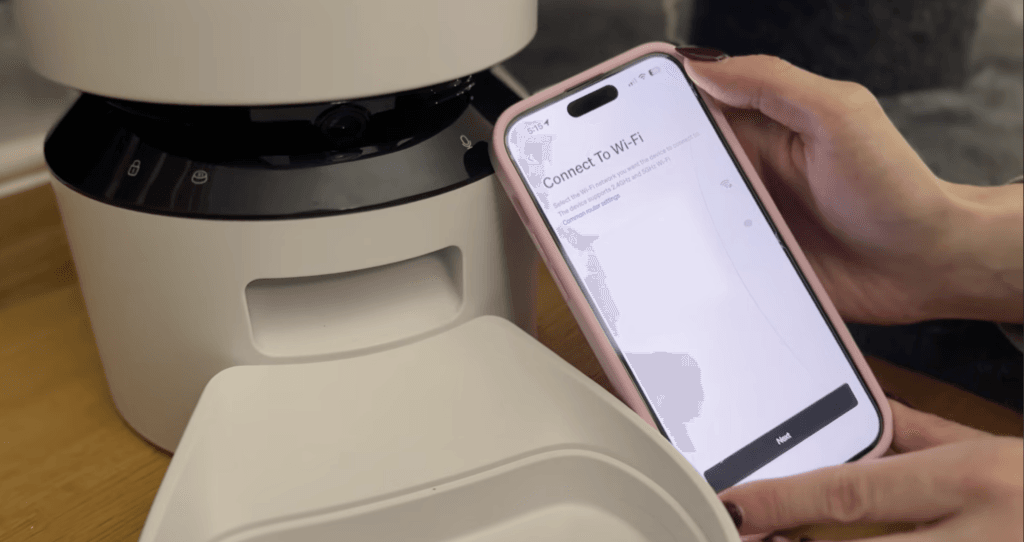
The #1 reason people return smart pet feeders and leave 1-star reviews is: “It won’t connect to my Wi-Fi.”
The feeder isn’t broken. Your router is just confused.
Almost all smart home devices (including Petlibro and Xiaomi) only contain 2.4GHz Wi-Fi chips. They are cheaper to manufacture and the signal penetrates thick walls better. Modern UK routers (like Virgin, Sky, or BT Hubs) output a merged 5GHz and 2.4GHz signal.
Here is how to fix the connection error instantly:
How to Connect Your Petlibro / Xiaomi Pet Feeder to Wi-Fi
Step 1: The Initial Pairing
Plug in the feeder. The light will flash (Pairing Mode).
Open the Petlibro/Xiaomi app and enter your Wi-Fi password.
Step 2: The “Split” Hack (If it fails)
If the app says “Connection Failed”, your phone is likely holding onto the 5GHz network.
The Fix:
Log into your router’s admin panel (IP address usually on the sticker on the back of your router).
Go to Wi-Fi Settings and split the bands so you have two networks:
MyNetwork_2.4G and MyNetwork_5G
Step 3: Connect and Revert
Connect your smartphone to the 2.4G network, then run the feeder setup again.
It will connect instantly.
Once the feeder is successfully connected, you can switch your phone back to the 5G network.
The feeder will stay happily connected to the 2.4G band forever.
Real-World Reality: Community Feedback
We checked the r/Pets and r/SmartHome subreddits to find the hidden realities of automated feeding.
MAINTENANCE
1. “The Ant Invasion”
USER REPORT
“I came home after a weekend away and my kitchen floor was covered in ants marching into the feeder bowl.”
💡
The Smart Tenant Fix
In summer, ground-floor flats are prone to ants, and a bowl of kibble sitting out is an open buffet.
Our Advice
If you have an ant problem, do not put the feeder directly on the floor. Buy a cheap, wide plastic tray. Put the feeder in the middle of the tray, and fill the tray with 1cm of water. This creates a “Moat.” Ants cannot swim across the water to reach the feeder bowl.
MAINTENANCE
2. “The Kibble Jam”
USER REPORT
“My dog eats large breed biscuits. They got wedged in the rotor and the machine jammed, missing a meal.”
💡
The Smart Tenant Fix
These machines are designed for standard-sized cat and dog kibble.
Our Advice
Check the manual limits! The Petlibro specifies that kibble size must be between 2mm and 15mm in diameter. If you buy oversized, irregular, or freeze-dried raw chunks, they will jam the dispensing wheel. Measure your pet’s food before investing in an automatic feeder.
Frequently Asked Questions
Can I use wet food in these feeders?
No. All the feeders on this list are for Dry Kibble Only. Putting wet pouches or raw food into the hopper will destroy the motor, rot inside the plastic chamber, and cause severe food poisoning risks for your pet. If you need to dispense wet food, you must buy a specific “Carousel” style feeder with built-in ice packs.
What happens if the Wi-Fi goes down while I’m away?
Your pet will still eat. Once you set the schedule on the app, the timings are downloaded to the internal memory chip inside the feeder. If your router crashes, the machine relies on its internal clock and dispenses food exactly on time. (You just won’t be able to view the camera or change the schedule remotely until the Wi-Fi returns).
Will my clever cat break into it?
It is very unlikely. Brands like Petlibro use a “Twist-Lock” lid mechanism that requires human thumbs to push and twist simultaneously. Unless your cat has opposable thumbs, they cannot pry the top open to gorge on the kibble.
Verdict: Which Feeder Buys Your Freedom?
- Best for Peace of Mind: Petlibro Camera Feeder (5L). Being able to open an app at the pub, see your dog eating, and talk to them is worth every single penny of the premium price tag.
- Best for Budget: Petlibro Wi-Fi Feeder (2L). If you just want them fed on time and don’t need to watch them do it, this is a highly reliable, compact choice.
- Best for Aesthetics: Xiaomi Smart Feeder. Looks incredible, seals the food brilliantly, and integrates with the Xiaomi smart home app.